Knowledge Base Best Practices: Build One People Actually Use
Knowledge Base Best Practices And Adoption Failures
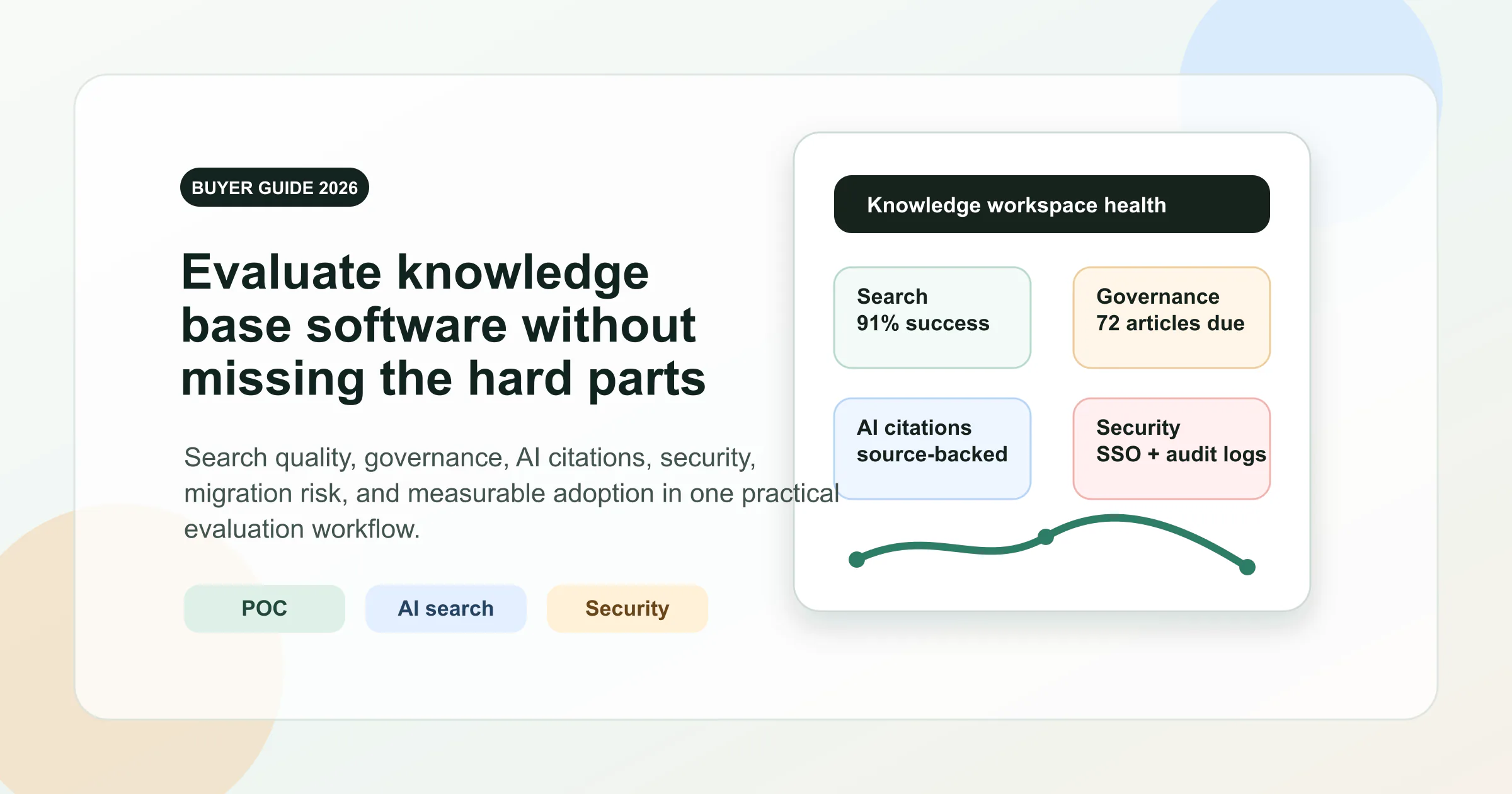
Intent split: This guide focuses on adoption practices. For the canonical definition, read what is a knowledge base. If you are comparing tools, use the knowledge base software buyer guide.
Imagine your team scrambles to answer the same customer question for the fifth time today. The answer exists somewhere, buried in a Slack thread, a Google Doc, or maybe in a former colleague's head. This is the problem a knowledge base solves.
Start With A Clear Definition And Scope
So what is a knowledge base, exactly? Here's a straightforward way to define knowledge base as a concept:
A knowledge base is a centralized, structured repository where organizations store, organize, and retrieve information so that employees, customers, or both can find accurate answers quickly and independently.
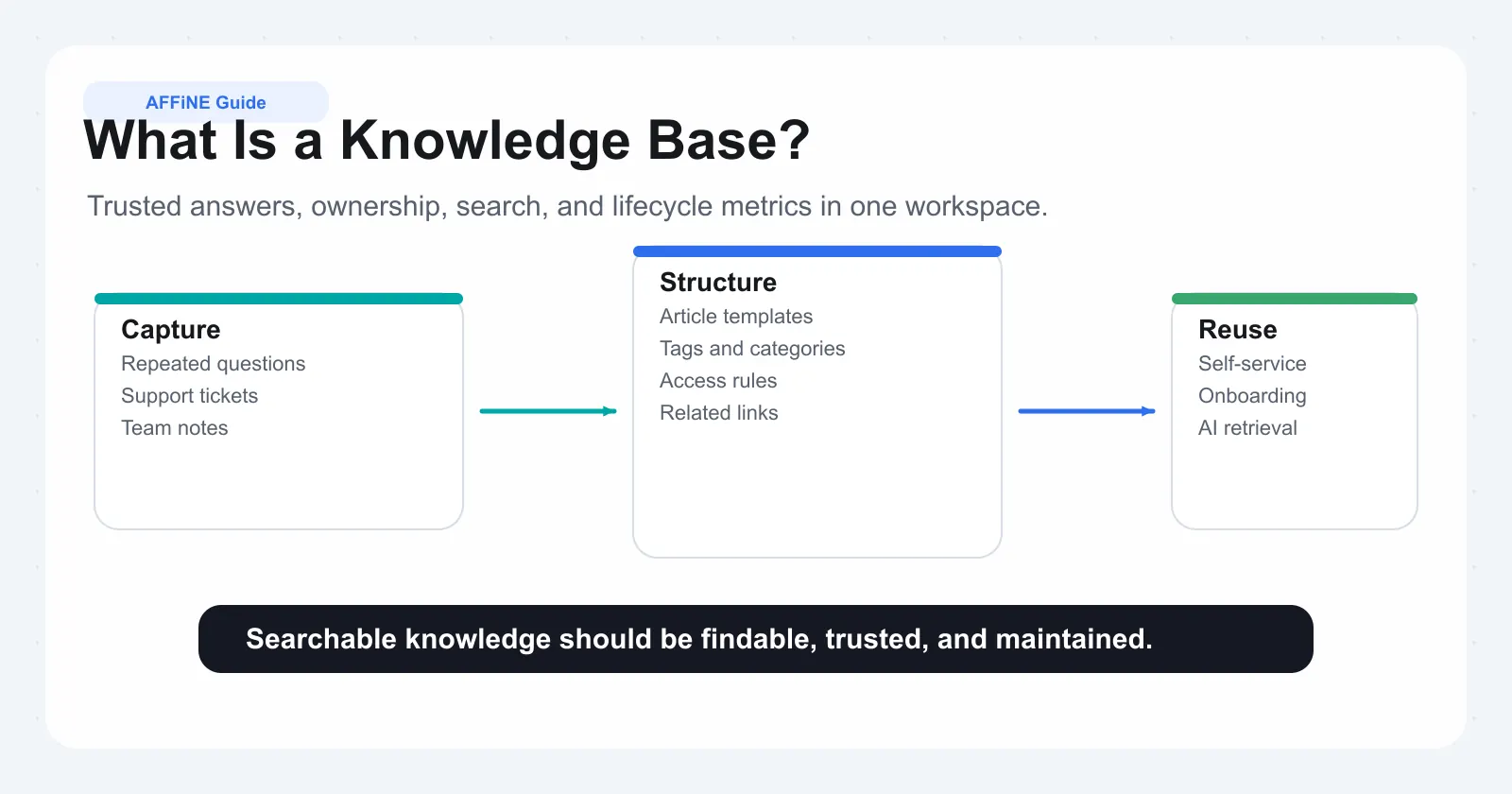
The knowledge base meaning goes beyond simply collecting files. Unlike a folder stuffed with PDFs or a cluttered shared drive, a knowledge base applies structure, searchability, and purpose to information. Every article exists to answer a specific question, solve a defined problem, or guide a particular action. Categories, tags, and search functionality work together so users reach the right answer in seconds rather than minutes.
Think of it this way: a shared drive stores documents. A knowledge base stores understanding. The knowledge database definition centers on this distinction. It's not just data sitting in rows and columns. It's curated, organized knowledge designed for retrieval, complete with context, relationships between topics, and clear navigation paths.
How a Knowledge Base Differs from a Shared Drive or Wiki
Teams often confuse knowledge bases with adjacent tools they already use. The wiki vs knowledge base distinction is a common source of confusion. A wiki encourages collaborative, evolving documentation where anyone can edit pages freely. A knowledge base prioritizes verified, structured content maintained by designated owners. Both have value, but they serve different purposes.
Here's how these tools compare across the dimensions that matter most:
| Dimension | Knowledge Base | Wiki | FAQ Page | Shared Drive |
|---|---|---|---|---|
| Structure | Category-driven with standardized article formats | Flexible, user-defined page hierarchy | Single flat list of questions | Folder-based file storage |
| Searchability | Optimized with metadata, tags, and indexed content | Relies on search and interlinked pages | Limited to page-level keyword matching | Basic filename search |
| Content Ownership | Designated authors and reviewers | Open editing by any team member | Typically one owner | Whoever uploaded the file |
| Maintenance | Governed review cycles and update workflows | Organic, often inconsistent updates | Infrequent updates | Rarely maintained |
| Best For | Verified answers, SOPs, support docs | Evolving team notes, decision logs | Quick answers to common questions | Raw file storage and sharing |
An FAQ page handles the most basic, recurring questions in a simple list format. A shared drive holds files without any real structure for finding answers. A wiki captures evolving team knowledge collaboratively. A knowledge base sits at the intersection of reliability and discoverability, offering curated content that users can trust and locate without friction.
Understanding what is knowledge base versus these other tools helps you choose the right system for the right job. In many organizations, these tools coexist, but the knowledge base serves as the authoritative source of truth.
The rest of this guide walks you through the types of knowledge bases, the benefits they deliver across different roles, how to build one from scratch, common failure modes to avoid, and how to choose the right software for your team.
Types of Knowledge Bases and When to Use Each
Every organization manages two distinct flows of knowledge: what your team needs to know internally, and what your customers need to know externally. These flows serve different audiences, solve different problems, and require different approaches. The type of knowledge base you build first depends on where your biggest pain point lives.
Internal Knowledge Bases for Teams and Employees
What is an internal knowledge base? It's a private, secure repository where your organization stores the operational knowledge employees need to do their jobs: onboarding documentation, standard operating procedures, company policies, technical guides, and the kind of institutional wisdom that usually lives in a few people's heads.
An employee knowledge base serves nearly every department. HR uses it to house policies and benefits information so new hires can self-serve instead of asking the same orientation questions repeatedly. IT stores troubleshooting guides and system documentation. Operations teams maintain process workflows. Sales and marketing teams share customer insights, competitive intelligence, and enablement resources.
The problems an internal knowledge base solves are tangible. When a senior engineer leaves, their undocumented expertise doesn't walk out the door with them. When a new hire joins, they aren't waiting days for someone to answer basic questions about how things work. When teams across departments need to collaborate, they draw from a shared source of truth rather than conflicting information scattered across email threads and chat messages.
A Panopto study found that 85% of employees believe preserving and sharing organizational knowledge significantly boosts productivity. That tracks with what most teams experience: without a corporate knowledge base, employees spend a disproportionate amount of their week hunting for information instead of doing meaningful work.
External Knowledge Bases for Customers and Users
A customer knowledge base is a public-facing or login-protected library of support content: product documentation, how-to guides, troubleshooting articles, setup instructions, and FAQs. It works as a 24/7 self-service resource where customers resolve issues independently without contacting your support team.
The connection to customer service is direct. A customer support knowledge base deflects tickets by answering common questions before they ever reach an agent. When someone hits a snag at midnight in a different time zone, they search for a solution instead of waiting for business hours. A single well-written article can scale to help an unlimited number of customers with the same issue.
This matters because customer expectations have shifted. Research from Help Scout indicates that 69% of consumers prefer to find solutions independently before reaching out to support. A customer service knowledge base meets that preference head-on, reducing ticket volume while improving satisfaction. Your support team spends less time on repetitive questions and more time on complex, high-value interactions.
External knowledge bases are especially valuable for product-based companies, software teams, and any organization where customers frequently encounter setup, configuration, or usage questions that have standard solutions.
Deciding Which Type to Build First
Most organizations benefit from both types eventually, but trying to build everything at once leads to half-finished projects that nobody trusts. The smarter approach is to assess where your most urgent knowledge gap exists and start there. An enterprise knowledge base strategy doesn't have to be all-or-nothing.
Use these criteria to determine your starting point:
• Support ticket volume and patterns: If your team answers the same customer questions repeatedly and ticket volume is straining capacity, an external knowledge base delivers immediate relief through ticket deflection.
• Employee turnover and onboarding frequency: If you're hiring regularly and new employees take weeks to become productive because knowledge lives in people's heads, an internal knowledge base reduces ramp-up time and preserves institutional memory.
• Team size and documentation maturity: Smaller teams with informal processes often benefit from internal documentation first, since it creates the foundation that external content can later draw from. Larger teams with existing internal docs but growing customer bases may need external content more urgently.
• Where knowledge loss hurts most: Ask yourself whether a departing employee or an unanswered customer causes more damage today. That answer points you toward your priority.
Keep in mind that internal and external knowledge bases aren't entirely separate efforts. The research your support team documents internally often becomes the basis for customer-facing articles. Building one type well creates a foundation for the other.
Whichever type you prioritize, the benefits compound over time. The next question is understanding exactly what those benefits look like across different roles in your organization.
Key Benefits of Building a Knowledge Base
A knowledge base doesn't deliver value in the abstract. Its impact shows up differently depending on who's using it and what problem they're trying to solve. The benefits of a knowledge base become clearest when you look at them through the lens of each stakeholder group: the support agents fielding questions, the employees trying to do their jobs, and the leaders responsible for scale and continuity.
Benefits for Support Teams and Agents
Support agents spend a disproportionate amount of their day answering the same questions. A knowledge base changes that equation by giving both agents and customers a shared resource for common issues.
For agents, a well-organized knowledge base means faster resolution times. Instead of hunting through internal notes or escalating to a colleague, they search a centralized system and pull up a verified answer in seconds. As one industry analysis puts it, a well-organized and up-to-date knowledge base empowers agents to find solutions faster, directly reducing the time it takes to address customer inquiries.
For customers, the shift toward self-service is already well underway. Research from Nextiva shows that 52% of people say the biggest benefit of self-service tools is saving time and reaching faster resolutions. When customers can solve their own problems through a knowledge base, ticket volume drops and agents focus their energy on complex, high-value interactions that actually require human judgment.
The result is a support team that handles more with less strain: consistent answers across every agent, fewer repetitive tickets, and faster time-to-resolution on the issues that do require personal attention.
Benefits for Employees and Internal Teams
Beyond customer-facing support, the benefits of knowledge base systems ripple through every internal team. The most immediate impact hits onboarding. Knowledge management research from KPS confirms that centralized knowledge bases give new employees immediate access to essential information like company policies, procedures, tools, and best practices, so they can start contributing more quickly.
Consider what happens without one. New hires rely on whoever happens to be available to answer their questions. Training quality varies depending on who delivers it. Critical processes live in one person's memory. A knowledge base eliminates these bottlenecks by providing consistent, always-available documentation that every employee accesses equally, whether they're in the office, remote, or joining the team six months from now.
The deeper benefit is reducing dependency on specific individuals. When institutional knowledge is documented and searchable, teams aren't paralyzed when a key person goes on vacation, switches roles, or leaves the company. Cross-team collaboration improves too, because departments draw from a shared source of truth rather than maintaining conflicting versions of the same information.
Benefits for Leadership and the Organization
From a leadership perspective, what are the benefits of having a knowledge base at the organizational level? They come down to three things: scalability, cost efficiency, and continuity.
Scalability means your support capacity and internal operations grow without proportionally growing headcount. Every article in a customer-facing knowledge base can serve thousands of users simultaneously. Every internal SOP documented means one less question that interrupts a senior team member's workflow.
Cost reduction follows naturally. Ticket deflection through self-service directly lowers support costs per interaction. Internally, faster onboarding means new hires reach productivity sooner, reducing the hidden cost of ramp-up time. Organizations with high turnover benefit especially here, since documented knowledge doesn't leave when employees do.
Knowledge continuity is the benefit that's hardest to quantify but easiest to feel when it's missing. Companies that preserve institutional knowledge through structured documentation weather transitions, whether that's a departing executive, a reorganization, or rapid growth, without losing the operational intelligence that keeps things running.
Here's a consolidated view of knowledge base benefits across all stakeholder groups:
• Support teams: Fewer repetitive tickets, faster resolution times, consistent answers across agents
• Customers: 24/7 self-service access, faster problem resolution, reduced wait times
• Employees: Faster onboarding, reduced dependency on individuals, easier cross-team collaboration
• Leadership: Lower support costs through deflection, scalable operations, preserved institutional knowledge
• The organization overall: A single source of truth that compounds in value as it grows and matures
These benefits don't materialize automatically, though. They depend on how well the knowledge base is structured, how findable its content is, and whether the architecture supports the way people actually search for information. That structural foundation is what separates a knowledge base that delivers results from one that collects dust.
Essential Components and Information Architecture
A knowledge base with great content but poor structure is like a library with no catalog. The information exists, but nobody can find it. The difference between a knowledge repository that people actually use and one they abandon comes down to how well you design its underlying architecture. This is where knowledge base design decisions determine long-term success or failure.
Content Structure and Taxonomy Design
Taxonomy is the classification system that organizes your content into logical, navigable groups. It's not the same as a folder structure. Folders reflect how content was created. Taxonomy reflects how users think and search. According to MatrixFlows' analysis of 500+ knowledge base implementations, companies reaching 85%+ search success rates use hybrid taxonomy: hierarchical browsing for navigation, faceted filtering for complex searches, and AI-powered relationships for recommendations.
You'll want to think about taxonomy across three dimensions:
Hierarchical structure creates parent-child category relationships. This is the browsing skeleton, how users move from broad topics to specific answers. For most teams, a Category, Subcategory, and Article structure works well. The key rule: limit hierarchy depth to three or four levels maximum. Every additional level reduces discoverability by roughly 50%, because users lose context of where they are and abandon the navigation.
Flat vs. nested categories is a common decision point. A flat taxonomy with a single level of categories works for small knowledge libraries with fewer than 30 topics. Once you pass that threshold, nested categories with controlled depth provide better organization without overwhelming users. The sweet spot for top-level categories is five to nine. More than nine creates decision paralysis. Fewer than five usually means categories are too broad to be useful.
Controlled vocabulary and tagging prevents the chaos of inconsistent terminology. When your knowledge base database knows that "WiFi," "wireless," and "WLAN" all mean the same thing, users stop falling through terminology gaps. Define preferred terms, map synonyms, and apply tags consistently so that content is findable regardless of which words a user types into search.
Naming conventions matter just as much as structure. Your categories should pass what information architects call the "5-second test": can a new user understand where to go within five seconds of seeing your category labels? Avoid internal jargon. Use task-oriented names like "Troubleshooting Network Issues" rather than vague labels like "Resources" or "Miscellaneous."
Essential Components of an Effective Knowledge Base
Beyond taxonomy, every effective knowledge base shares a set of core knowledge base components that work together to make content discoverable, trustworthy, and maintainable:
• Search functionality: The single most critical feature. About half of users browse categories while the other half go straight to search. Your search needs metadata-driven ranking, synonym mapping, and faceted filtering so results are relevant on the first try.
• Categorization system: The taxonomy structure discussed above, implemented as navigable categories, subcategories, and tags that let users browse intuitively.
• Content editor: A writing environment that supports rich formatting, embedded media, code blocks, and templates. The easier it is to create well-structured articles, the more likely your team will maintain them.
• Version history: Every article should track changes over time. Version control lets teams revert mistakes, audit updates, and understand how content has evolved, which is essential for any knowledge db that multiple people contribute to.
• Access controls: The ability to define who can view, edit, and publish content. Internal knowledge bases need role-based permissions. External ones may need public, logged-in, and admin tiers.
• Analytics and feedback mechanisms: Usage data like page views, search queries, and failed searches reveal what's working and what's missing. Article-level feedback ("Was this helpful?") gives direct signal on content quality.
These components form the information base that supports everything else. Without robust search, even perfectly organized content goes unfound. Without version history, teams lose confidence in content accuracy. Without analytics, you're guessing about what to improve.
Information Architecture for Findability
Information architecture goes beyond categorization. It's the discipline of designing relationships between content so users can navigate naturally, even when they don't know exactly what they're looking for. As information architect Abby Covert puts it, "There is a secret truth about information architecture: It never doesn't exist." Your knowledge base has an architecture whether you've designed it intentionally or not.
Effective information architecture relies on three relationship types:
Related content links. Every article should surface connections to related topics. When a user reads an article about setting up email notifications, a knowledge base link to the article on notification preferences or troubleshooting delivery issues keeps them moving forward without returning to search. These lateral connections mimic how people actually think: in associations, not strict hierarchies.
Prerequisite and sequential relationships. Some content builds on other content. A guide on advanced reporting assumes the reader understands basic dashboard setup. Making these dependencies explicit through "Before you begin" links or content clusters prevents users from landing on advanced material without context.
Content clusters. Group related articles around a central topic page. A cluster on "Account Management" might link out to articles on password resets, billing changes, team permissions, and account deletion. The cluster page provides an overview while individual articles go deep. This structure helps both human navigation and search relevance.
Metadata and tagging strategies tie all of this together. Every article should carry structured metadata: product area, audience type, content format, last review date, and applicable tags. This metadata powers search ranking, enables faceted filtering, and lets you run analytics on content health across your entire knowledge library. Without it, your knowledge base is a collection of disconnected pages rather than an interconnected system.
The principle that ties good information architecture together is "Every Page is Page One," a concept from technical writer Mark Baker. A search engine or internal link can drop a user onto any article in your knowledge base. That article needs to stand alone while also connecting outward to related content. Design each piece to be self-sufficient yet richly linked, and your architecture will serve both browsers and searchers equally well.
Getting the architecture right is foundational work. But architecture without content is an empty framework. The next challenge is filling that structure with well-written, well-organized articles and doing it in a way that's sustainable over time rather than a one-time burst of effort that fades.
How to Build a Knowledge Base from Scratch
Architecture gives you the blueprint. Implementation gives you the building. Knowing how to build a knowledge base means breaking the work into manageable phases rather than trying to document everything at once. A phased approach keeps momentum high and prevents the overwhelm that kills most documentation projects before they launch.
Phase One - Planning and Content Audit
You likely have more documentation than you realize. It's just scattered across the wrong places. Before writing a single new article, take stock of what already exists and define what your knowledge base needs to accomplish.
-
Identify existing documentation sources. Comb through support tickets, shared drives, Slack threads, onboarding emails, internal wikis, and canned responses. ProductLift's research suggests exporting your last three to six months of support tickets and tagging them by topic. The 20 most common topics become your first 20 articles.
-
Define scope and audience. Decide whether you're building for customers, employees, or both. This shapes tone, depth, and access controls. Write down your primary audience and their top ten questions. That list becomes the foundation for your first batch of content.
-
Assign ownership. Every knowledge base needs a designated owner, someone responsible for editorial standards, content quality, and review schedules. Without clear ownership, maintenance becomes everyone's job and therefore nobody's job.
-
Set measurable goals. Define what success looks like: ticket deflection rate, onboarding time reduction, search success rate, or article helpfulness scores. These goals guide what you write first and how you measure progress.
-
Plan content migration. Create a spreadsheet with columns for topic, source location, content quality (good, needs rewrite, or missing), priority based on volume, and assigned writer. This becomes your content roadmap for moving scattered documentation into a structured system.
Phase Two - Structuring and Writing Content
With your audit complete and priorities set, it's time to create the content itself. This phase is where understanding how to write a knowledge base article becomes critical. What is a knowledge base article at its core? It's a self-service resource designed to answer a specific question or guide a user through a specific task, clearly and completely.
-
Create a knowledge base article template. Standardize your article format so every piece follows a consistent structure. A solid knowledge base template includes: a clear title matching how users search, a one-sentence introduction stating what the article covers, prerequisites if applicable, step-by-step instructions with one action per step, expected outcomes, and links to related articles.
-
Establish style guidelines. Define your voice, formatting rules, and naming conventions. Use second person ("you") rather than third person. Keep paragraphs to three or four sentences. Use headers liberally since users scan rather than read linearly. Write at a reading level that matches your audience.
-
Write your first batch of articles. Start with the highest-priority topics from your audit. Aim for ten to twenty articles covering your most common questions. Looking at knowledge base article examples from companies with strong self-service, you'll notice they share traits: clear titles, scannable formatting, actionable steps, and a single focused topic per article.
-
Organize your taxonomy. Slot articles into the category structure you designed during the architecture phase. Aim for five to eight top-level categories. Apply tags consistently and add related-article links so users can navigate between connected topics.
-
Add visuals where they matter. Screenshots, annotated images, and short screen recordings improve comprehension significantly for any article involving a user interface. Crop images to show only the relevant area and use consistent annotation styles.
Phase Three - Launch, Feedback, and Iteration
Building a knowledge base is not a one-time project. It's an ongoing system that improves through use. A soft launch lets you validate your structure and content quality before going wide.
-
Soft launch with a pilot group. Share the knowledge base with a small group of users, whether that's a subset of customers, a single department, or your support team. Their real-world usage reveals navigation issues, content gaps, and search problems you can't spot internally.
-
Add feedback mechanisms. Include a "Was this helpful?" widget on every article. Track search queries that return no results, since those represent articles you need to write. Monitor which articles users visit but leave quickly, signaling the content didn't answer their question.
-
Measure initial adoption. Track page views, search success rates, and ticket deflection in the first few weeks. Compare support ticket volume on topics covered by your knowledge base against the period before launch. These early metrics tell you whether people are finding and using the content.
-
Iterate on structure and content. Use feedback data to rewrite underperforming articles, reorganize confusing categories, and fill gaps revealed by failed searches. Treat your knowledge base like a product: ship, measure, improve, repeat.
-
Expand gradually. Once your initial batch proves useful, add articles systematically based on the priority list from your content audit. Resist the urge to publish everything at once. Quality and accuracy matter more than volume.
How to create a knowledge base that lasts comes down to treating it as a living system rather than a finished deliverable. The teams that succeed set review cadences, assign article ownership, and build documentation into their workflows rather than treating it as a side project.
That said, even well-planned knowledge bases can stall. Content decays, adoption plateaus, and search relevance degrades over time. Understanding why knowledge bases fail, and how to prevent those failure modes, is just as important as knowing how to build one in the first place.
Why Knowledge Bases Fail and How to Prevent It
Here's a sobering reality: research shows that 70-73% of knowledge management initiatives fail to meet their stated objectives. That's not a technology problem. It's a maintenance, governance, and adoption problem. Teams pour energy into building a knowledge base, celebrate the launch, and then watch it slowly decay into irrelevance. Understanding why this happens is the difference between a good knowledge base that compounds in value and an abandoned one that erodes trust.
Content Decay and Knowledge Base Abandonment
The most common killer of knowledge bases isn't a bad launch. It's what happens three months later. Products evolve, processes change, team members leave, and knowledge base articles quietly become inaccurate. A user finds an outdated troubleshooting guide, follows the steps, and hits a dead end. They don't come back.
The data backs this up. The same research indicates that 67% of users avoid knowledge sources permanently after encountering incorrect information just once. One bad experience is all it takes to destroy the trust you spent months building. When users stop consulting the knowledge base, support tickets climb back up, and the entire investment unravels.
Content lifecycle management prevents this spiral. It means treating every knowledge article as a living asset with an expiration date, not a static document published and forgotten. Effective knowledge base management requires three governance mechanisms:
• Review schedules: Set articles to expire after a defined period, whether that's 90 days for fast-changing product content or six months for stable policy documentation. When an article expires, its owner must verify accuracy or update it before it remains published.
• Ownership assignment: Every article needs a named owner responsible for its accuracy. Without clear ownership, maintenance becomes nobody's job. Assign owners by subject area, not by whoever wrote the original draft.
• Archival policies: Not every article deserves to live forever. Content about deprecated features, retired processes, or outdated workflows should be archived or removed. A smaller, accurate knowledge base outperforms a large, unreliable one every time.
A content governance framework formalizes these mechanisms into an operational rulebook. It defines who can publish, what review processes content must pass through, and how updates flow from subject matter experts to published kb articles. Without this structure, content chaos is inevitable as your library grows.
Low Adoption and Poor Search Relevance
Some knowledge bases fail not because the content decays, but because nobody uses them in the first place. The team builds it, publishes it, and waits for adoption that never comes. Why?
Poor discoverability. If users don't know the knowledge base exists or can't find it at the moment they need help, they'll default to familiar channels: asking a colleague, filing a ticket, or searching Google. A knowledge base buried behind three navigation clicks or accessible only through a bookmark nobody remembers is functionally invisible.
Lack of workflow integration. Knowledge articles that exist in isolation from daily work create friction rather than reducing it. When agents need to leave their support tool to search a separate system, or employees need to context-switch away from their project management platform, adoption suffers. Every extra step between a user and the answer they need increases the chance they'll skip the knowledge base entirely.
Content that doesn't match how users search. Your knowledge base description of a feature might use internal terminology while customers search using everyday language. If someone searches "can't log in" but your article is titled "Authentication Credential Reset Procedure," the search returns nothing useful. Failed searches are adoption killers. Help Scout's analysis of knowledge base metrics emphasizes tracking failed search terms specifically because they reveal the gap between how you describe content and how users actually look for it.
No executive sponsorship. Knowledge base training and promotion need visible support from leadership. When managers don't reference the knowledge base in meetings, don't encourage contributions, and don't model its use, teams interpret it as optional. Adoption requires cultural reinforcement, not just a launch announcement.
Preventing Failure with Governance and KPIs
The teams that maintain successful knowledge bases treat them like products, not projects. They measure health indicators continuously and intervene before problems compound. Here are the knowledge base best practices for ongoing measurement:
• Search success rate: The percentage of searches that lead users to a relevant article. Target 80% or higher. Low rates signal content gaps or terminology mismatches.
• Article usefulness scores: "Was this helpful?" feedback on every article gives direct signal on content quality. Track trends over time, not just individual scores.
• Contribution frequency: How often team members create or update content. Declining contributions predict future content decay.
• Content freshness: The average age since last review across your article library. Help Scout recommends setting articles to expire after a defined period and tracking the percentage of articles updated each month as a health indicator.
• Failed searches: Specific queries that return no results. These represent articles you need to write or terminology you need to map.
Here's a consolidated view of the most common failure modes, what causes them, and how to prevent each one:
| Failure Mode | Root Cause | Prevention Strategy |
|---|---|---|
| Content decay and outdated articles | No review schedule or content ownership | Assign article owners, set expiration dates, schedule quarterly audits |
| Low user adoption | Poor discoverability and no workflow integration | Embed knowledge base links in support tools, product UI, and onboarding flows |
| Poor search relevance | Terminology mismatch between users and content | Map synonyms, track failed searches, write titles in user language |
| Knowledge base abandonment by contributors | No governance, unclear ownership, no executive support | Define roles, celebrate contributions, tie knowledge sharing to team goals |
| Trust erosion after bad experiences | Users encounter incorrect information | Implement feedback loops, flag stale content visually, prioritize accuracy over volume |
The pattern across all these failure modes is clear: maintenance matters more than initial setup. A knowledge base launched with twenty accurate, well-structured articles and a governance plan will outperform one launched with two hundred articles and no plan for keeping them current. The teams that internalize this build knowledge bases that last.
Technology can help shoulder the maintenance burden, though. The rise of AI-powered tools is changing how teams create, update, and surface knowledge base content, making the governance challenge more manageable than it's ever been.
Knowledge Bases and AI Integration
AI doesn't just make knowledge bases slightly better. It addresses the exact failure modes that cause them to be abandoned: poor search relevance, content decay, and the unsustainable maintenance burden of keeping hundreds of articles accurate. The role of a knowledge base in AI-driven workflows has shifted from passive document storage to an active, intelligent layer that connects people with answers in real time.
AI-Powered Search and Content Suggestions
Traditional knowledge base search works like a keyword matching engine. You type a query, it scans article titles and body text for matching terms, and returns a ranked list of documents. The problem? Users don't always know the right terminology. They search "can't connect to WiFi" while your article is titled "Wireless Network Troubleshooting Protocol." The result: zero matches, a frustrated user, and one more support ticket.
AI-powered search changes this fundamentally. Instead of matching keywords, it understands intent. Natural language processing interprets what a user means, not just what they typed. Machine learning algorithms analyze patterns across thousands of previous searches to surface the most relevant content, even when the phrasing doesn't match the article's exact wording.
Modern knowledge based software goes further than just improving search results. It synthesizes answers directly from within long documents, pulling the specific paragraph that addresses a user's question rather than forcing them to read an entire article. It suggests related content based on what similar users found helpful. And it learns continuously: every successful search reinforces the connection between a query pattern and the content that resolved it.
This solves the poor search relevance problem that kills adoption. When users consistently find what they need on the first try, they come back. When the system recommends articles they didn't know existed, the knowledge base becomes a discovery tool rather than just a lookup tool.
Knowledge Bases as Grounding for AI Assistants
You've probably interacted with an AI chatbot that confidently gave you a wrong answer. That's hallucination: the model generates plausible-sounding text that isn't grounded in actual facts. For customer-facing tools or internal assistants, this is more than an inconvenience. It's a trust destroyer.
This is where knowledge-based systems and AI intersect most powerfully. Organizations are using their knowledge bases as the factual foundation that AI assistants draw from, a pattern called Retrieval-Augmented Generation, or RAG.
Here's how it works in plain terms: when someone asks an AI assistant a question, the system doesn't rely solely on what the model learned during training. Instead, it searches your knowledge base for the most relevant articles, retrieves those specific passages, and feeds them to the AI as context. The model then generates an answer grounded in your verified, company-specific documentation rather than its general training data.
As a practical guide to enterprise RAG systems explains, "RAG threads the needle. At query time, the system retrieves the most relevant documents from your knowledge base and gives them to the LLM as context. The model generates an answer grounded in those documents, not in what it learned during training. Every answer is traceable to a source."
The practical impact is significant. A knowledge-based system using RAG can answer questions about your specific refund policy, your particular product configuration, or your internal onboarding process with citations pointing back to the source article. Users can verify the answer. The knowledge base stays the single source of truth while the AI makes it conversationally accessible. You can even prompt knowledge base content into AI workflows, letting assistants pull verified answers into Slack threads, support tickets, or internal chat tools without anyone leaving their current workspace.
AI-Assisted Content Creation and Maintenance
The previous section on failure modes made one thing clear: maintenance is what kills knowledge bases. Teams can't keep up with the volume of content that needs writing, updating, and reviewing. AI reduces that burden in three practical ways.
Content creation. AI helps teams draft articles faster by generating initial versions from existing materials like support tickets, meeting transcripts, or product changelogs. A support agent resolves a complex issue? AI can transform that ticket resolution into a draft knowledge base article, ready for human review and publishing. This changes how to generate knowledge from a manual writing task into an editorial review task, which is far less time-intensive.
Content maintenance. AI monitors your knowledge base for staleness signals: articles that contradict newer content, documentation referencing deprecated features, or pages that haven't been reviewed past their expiration date. Industry analysis of AI knowledge management trends highlights that automated content health monitoring can flag outdated or redundant content before it pollutes search results, creating what some call a "self-healing knowledge base."
Gap identification. By analyzing failed searches, support ticket patterns, and user feedback, AI identifies topics your knowledge base should cover but doesn't. Instead of waiting for someone to notice a gap manually, the system proactively suggests what articles need to be written based on actual user demand.
Together, these capabilities make the knowledge based approach to documentation sustainable at scale. The AI handles the detection and drafting. Humans handle the verification and judgment calls. It's a division of labor that plays to each side's strengths and directly addresses the abandonment cycle that plagues most knowledge management initiatives.
Of course, AI capabilities are only as good as the platform delivering them. The tools you choose determine whether these integrations are seamless or bolted-on afterthoughts, which brings us to the question of how to evaluate and select the right knowledge base software for your team's needs.
Choosing the Right Knowledge Base Software
Picking a knowledge base platform feels overwhelming when every vendor claims AI-powered search, seamless collaboration, and effortless content creation. The feature lists blur together. Pricing pages hide the real costs. And demos always look polished. What you need is a structured way to evaluate what actually matters for your team, your content, and your workflows before you commit to a tool you'll live with for years.
Evaluation Criteria for Knowledge Base Software
Rather than comparing feature checklists line by line, focus on the dimensions that determine whether a knowledge base program will succeed or collect dust in your organization. Here's what to weigh:
• Ease of content creation: If writing and publishing articles feels like a chore, your team won't do it. Look for intuitive editors, reusable templates, and low friction between drafting and publishing. The best knowledgebase software makes contributing feel natural rather than bureaucratic.
• Search quality: This is the single biggest differentiator. Does the platform support semantic search that understands intent, or just basic keyword matching? Industry analysis shows that platforms with AI-powered semantic search achieve 30-50% higher deflection rates than those relying on exact phrase matching alone.
• Collaboration features: Can multiple team members co-edit, comment, and review content without version conflicts? Knowledge bases built by one person rarely survive that person leaving.
• Integrations: Does the tool connect to where your team already works, whether that's Slack, your ticketing system, or your project management platform? A knowledge base that lives in isolation from daily workflows gets ignored.
• Privacy and data ownership: Where does your content live? Who controls it? For teams handling sensitive internal documentation, the difference between cloud-hosted and local-first architectures matters significantly.
• Scalability: Will the platform handle your content library as it grows from 50 articles to 500? Does performance degrade? Do pricing tiers punish growth?
• Pricing model: Per-user, per-project, or flat-rate pricing each creates different incentives. Per-user pricing discourages broad adoption. Flat-rate pricing can hide feature limits behind tier upgrades. Understand the total cost of ownership, not just the starting price.
Weight these criteria based on your situation. A five-person startup cares more about ease of use and price. A 200-person company with compliance requirements cares more about access controls and data ownership. There's no universal "best" knowledge base software, only the best fit for your constraints.
Categories of Knowledge Base Tools
The knowledge base tools market isn't monolithic. Different categories of software serve different use cases, and understanding which category fits your needs narrows the field before you start comparing individual vendors.
Standalone knowledge base platforms are purpose-built for documentation and self-service. Tools like Document360, KnowledgeOwl, and Helpjuice focus exclusively on creating, organizing, and publishing knowledge base content. They excel at search optimization, analytics, and customer-facing help centers. Choose this category when your primary goal is ticket deflection and you already have a separate helpdesk tool handling support workflows.
Help desk tools with knowledge base features bundle documentation into a broader support platform. Zendesk Guide, Freshdesk, and Help Scout Docs fall here. The knowledge base is one module within a larger system that also handles ticketing, live chat, and agent workflows. This category works well when you want tight integration between support conversations and documentation without managing separate vendors.
Wiki-style tools prioritize collaborative editing and flexible structure over polished self-service experiences. Confluence, Notion, and wiki-based platforms like Wiki.js let teams create and interlink pages freely. They're strong for internal knowledge bases where the audience is your own team and the content evolves organically. They're weaker for customer-facing documentation that needs optimized search and controlled publishing workflows.
All-in-one workspace tools combine documentation with other work surfaces like databases, whiteboards, and project management. These platforms treat knowledge as one layer within a broader workspace rather than an isolated system. They're ideal for teams that want their internal knowledge base software connected to the same environment where they plan, brainstorm, and build.
Most teams don't need to evaluate every category. If you're building a customer-facing help center, focus on standalone platforms and help desk tools. If you're building an internal team knowledge base, workspace tools and wiki-style platforms deserve closer attention. If you need both, look for platforms that handle multiple audiences with permission controls separating what's visible to whom.
AFFiNE as a Local-First Knowledge Base Workspace
For teams prioritizing data ownership and wanting a unified workspace rather than a single-purpose documentation tool, AFFiNE stands out as an open-source, local-first platform that combines docs, whiteboards, databases, and AI in one system.
What makes AFFiNE distinctive as software for knowledge base needs is its architectural approach. Local-first means your data lives on your device by default, syncing when you choose rather than requiring constant cloud connectivity. For teams handling sensitive internal documentation, proprietary processes, or regulated information, this eliminates the "who controls our data" question that clouds most SaaS evaluations.
As a knowledge base platform, AFFiNE lets you write structured documentation, connect it to visual thinking through whiteboards, and organize information in databases, all within the same workspace. You're not switching between a wiki for docs, a separate tool for diagrams, and another for structured data. The connections between these surfaces mean your knowledge stays linked rather than fragmented across tools.
The open-source model adds another layer of value. You can inspect the code, self-host if needed, and avoid vendor lock-in. For teams evaluating free knowledge base software options that can grow with them, AFFiNE offers a path from individual use to team-scale knowledge management without hitting the proprietary walls that force expensive migrations later.
AFFiNE's built-in AI capabilities help with content creation and search within your workspace, addressing the maintenance burden discussed earlier. And because it's an all-in-one environment, the knowledge you document stays connected to the context where it was created: the brainstorming sessions, the planning databases, and the project workflows that gave rise to it.
For readers ready to compare options in depth, AFFiNE's knowledge base software comparison guide provides a detailed evaluation of platforms across the categories outlined above, helping you match specific tools to your team's requirements.
Choosing the right tool matters, but it's not the final step. The best knowledge base software in the world still requires clear ownership, governance, and a plan for turning initial setup into sustained adoption. What separates teams that succeed from those that don't comes down to what happens after the tool is chosen.
Your Next Steps Toward a Working Knowledge Base
You've moved from definition through architecture, implementation, failure prevention, AI integration, and software selection. That's a lot of ground. The question now is simple: what do you do next? The answer depends on where you are right now.
Matching Your Starting Point to Your Next Step
Not everyone reading this article is at the same stage. Some are still exploring whether a knowledge base makes sense for their team. Others have already decided and need a plan. A few are ready to pick a tool and start building today. Here's what to focus on based on your current position:
• If you're still exploring the concept: Audit where your team's knowledge currently lives. Count how many times per week someone asks a question that's already been answered elsewhere. Look at the best knowledge base examples from companies in your industry to see what good looks like in practice. That evidence builds the case for investment.
• If you're ready to plan: Run the content audit described in Phase One. Identify your top 20 questions, assign an owner, and define your taxonomy before touching any tool. Decide whether you're solving for internal teams or customer self-service first. Sketch your governance model, even if it's just "who reviews what, and how often."
• If you're ready to build: Choose a knowledge platform that matches your team size, privacy requirements, and workflow. Write your first ten articles using the template approach. Soft launch with a pilot group, collect feedback, and iterate. Don't wait for perfection. A small, accurate knowledge base that people trust beats a comprehensive one that nobody maintains.
Building a Knowledge Base That Lasts
The pattern across every section of this guide points to the same conclusion: the best knowledge base isn't the one with the most content. It's the one that stays accurate, findable, and integrated into how people actually work. The difference between knowledge base solutions that thrive and those that get abandoned comes down to four principles:
• Start small. Ten well-written articles beat a hundred rushed ones. Build momentum with quick wins before expanding scope.
• Assign ownership. Every article needs a named person responsible for its accuracy. Every knowledge base needs someone accountable for its overall health.
• Measure effectiveness. Track search success rates, article helpfulness scores, and contribution frequency. What you measure, you maintain.
• Iterate continuously. Creating a knowledge base is never finished. Treat it as a living product with regular review cycles, not a project with a completion date.
For teams ready to start building, AFFiNE offers an open-source, all-in-one workspace where docs, whiteboards, and databases stay connected in a single local-first environment. It's a strong fit if you want to build a knowledge base without scattering your team's thinking across disconnected tools, and its privacy-focused architecture means you control your data from day one. If you'd rather compare options before committing, AFFiNE's ranked shortlist of knowledge base tools walks through the landscape in detail.
However you start, remember this: the goal isn't a perfect knowledge base. It's a useful one. One that people reach for instead of filing a ticket, pinging a colleague, or reinventing an answer that already exists. Build that, maintain it, and it becomes one of the highest-leverage investments your team makes.
Frequently Asked Questions About Knowledge Bases
1. What is a knowledge base and how does it work?
A knowledge base is a centralized, structured repository where organizations store, organize, and retrieve information so employees or customers can find accurate answers independently. Unlike a shared drive that simply holds files, a knowledge base applies taxonomy, metadata, and search optimization to content, making it findable within seconds. It works by organizing articles into logical categories, tagging them with relevant keywords, and surfacing results through intelligent search. Each article addresses a specific question or task, and relationships between articles guide users to related content naturally.
2. What is the difference between a knowledge base and a wiki?
A wiki encourages open, collaborative editing where any team member can create or modify pages freely, making it ideal for evolving internal notes and decision logs. A knowledge base prioritizes verified, structured content maintained by designated owners with formal review cycles. Wikis tend to have flexible, user-defined hierarchies, while knowledge bases use standardized article formats organized into controlled categories. The key distinction is governance: knowledge bases enforce content accuracy through ownership and review schedules, while wikis rely on organic community maintenance that can lead to inconsistent quality over time.
3. How do I create a knowledge base from scratch?
Start with a content audit by reviewing support tickets, shared drives, and internal communications to identify your top 20 most-asked questions. Define your audience and assign a knowledge base owner responsible for quality standards. Then create article templates with consistent formatting, write your first batch of high-priority articles, and organize them into five to eight top-level categories. Launch with a pilot group, collect feedback through helpfulness ratings and failed search tracking, and iterate continuously. Tools like AFFiNE offer an open-source, local-first workspace where you can build your knowledge base alongside whiteboards and databases in one connected environment.
4. Why do most knowledge bases fail?
Research shows 70-73% of knowledge management initiatives fail to meet their objectives. The primary causes are content decay from lack of review schedules, low adoption due to poor discoverability and workflow integration gaps, and search relevance problems caused by terminology mismatches between how content is written and how users search. The underlying pattern is that teams invest heavily in initial setup but neglect ongoing maintenance. Prevention requires assigning article owners, setting content expiration dates, tracking search success rates, and embedding the knowledge base into daily workflows rather than treating it as a separate destination.
5. How does AI improve knowledge base performance?
AI enhances knowledge bases in three key ways. First, AI-powered semantic search understands user intent rather than just matching keywords, so queries like 'can't log in' correctly surface articles titled differently. Second, organizations use knowledge bases to ground AI assistants through Retrieval-Augmented Generation (RAG), ensuring chatbots provide verified, company-specific answers with traceable sources instead of hallucinated responses. Third, AI assists with content maintenance by flagging outdated articles, identifying content gaps from failed searches, and drafting new articles from support tickets or meeting notes, reducing the maintenance burden that typically causes knowledge base abandonment.