Helpdesk Knowledge Base Setup: Faster Agent Answers, Fewer Tickets
What Is a Helpdesk Knowledge Base
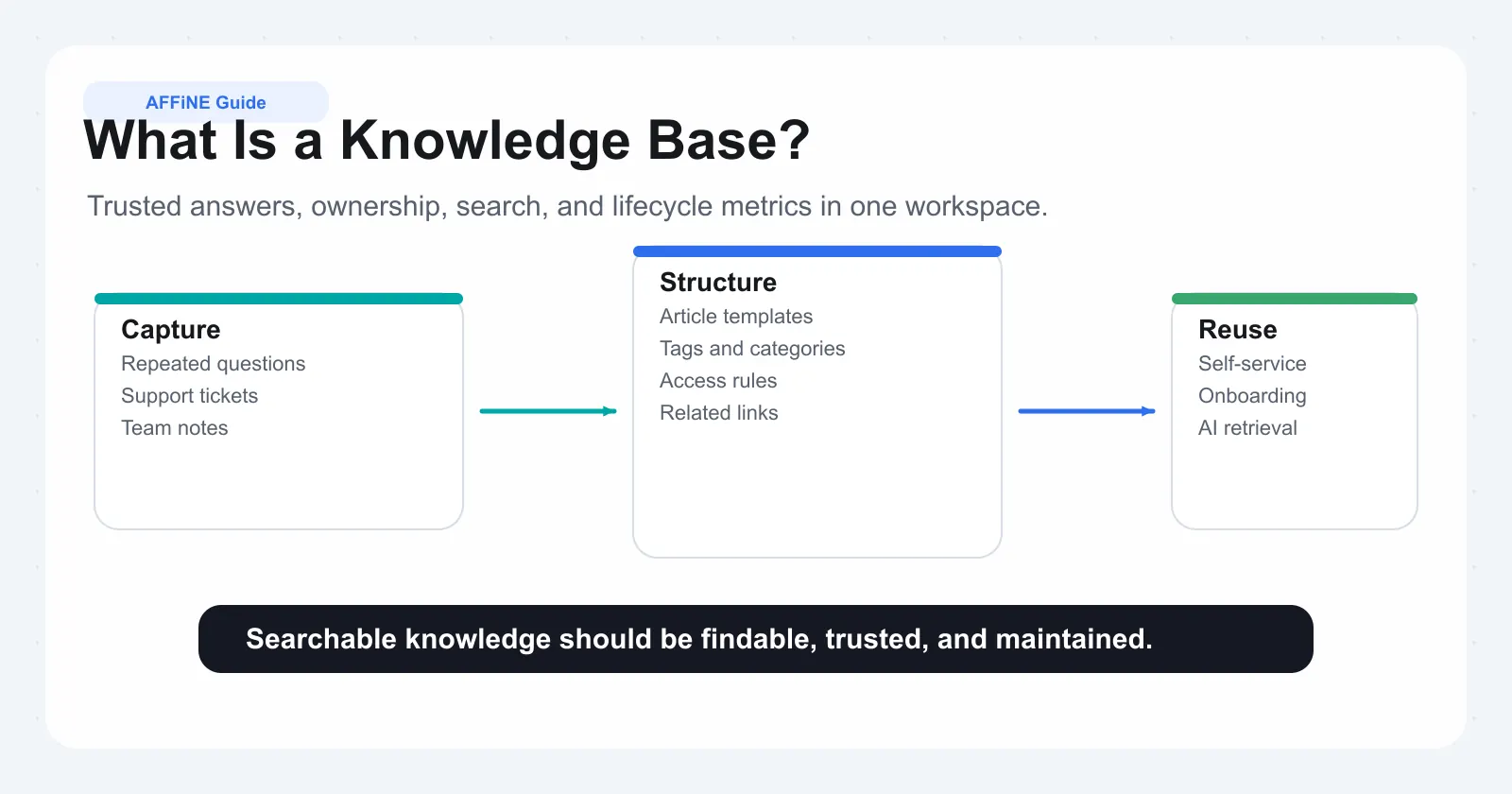
Your support team answers the same questions every day. Password resets, billing updates, order tracking. The answers exist somewhere, buried in old tickets, scattered across internal docs, or locked inside someone's memory. A helpdesk knowledge base pulls all of that into one searchable place so customers find solutions on their own and agents stop rewriting the same instructions.
This guide focuses on the helpdesk side: agent-facing answers, ticketing integration, and deflection workflows. If you are still evaluating platforms broadly, start with our knowledge base software buyer guide; for the customer-facing portal itself, see the customer knowledge base guide.
Defining the Helpdesk Knowledge Base
A helpdesk knowledge base is a centralized, searchable repository of support information, including troubleshooting steps, product guidance, policies, and procedures, designed to help agents resolve issues faster and enable customers to self-serve without submitting a ticket.
Think of it as the single source of truth for your support operation. Every article is crafted by subject matter experts, reviewed for accuracy, and structured so the right answer surfaces in seconds rather than minutes. Unlike a random folder of documents, a knowledge base system is purpose-built for the support workflow: it connects directly to your ticketing interface, tracks what people search for, and tells you which content actually resolves issues.
How It Differs from General Documentation
A corporate wiki lets anyone contribute freely, which is great for brainstorming and internal notes but unreliable when a customer needs a verified answer right now. A help desk knowledge base, by contrast, is curated. Content goes through review before publication, follows consistent formatting, and gets updated on a schedule tied to product changes. As HubSpot's comparison puts it, wikis prioritize collaboration and speed while knowledge bases prioritize accuracy and structure. That distinction matters when your agents need to trust what they are reading mid-conversation with a frustrated customer.
Who Uses a Helpdesk Knowledge Base
Three groups rely on it daily:
• Support agents pull up articles while handling live tickets. Instead of typing instructions from memory, they reference verified steps and share links directly with customers.
• Customers search the external knowledge base help desk portal before ever opening a ticket. When articles match the language they actually use, many issues resolve without human intervention.
• KB administrators maintain content quality by scheduling audits, assigning ownership per category, and using analytics to spot gaps or outdated material.
A well-run knowledge base is never finished. Products change, policies shift, and new questions emerge from every feature release. The teams that treat their KB as a living system, one that evolves alongside the support queue, are the ones that see sustained ticket deflection without sacrificing customer experience.
Why a Knowledge Base Is Essential for Support Teams
Imagine a new agent joins your team on Monday. By Wednesday, they are handling live tickets. Without a support knowledge base, they rely on shoulder taps, Slack threads, and guesswork to piece together answers. Multiply that across every hire, every product update, and every policy change, and you start to see why teams without centralized knowledge bleed time and consistency.
The strategic case for investing in a knowledge base goes well beyond convenience. It directly impacts the metrics support managers report on every quarter: ticket volume, handle time, resolution quality, and customer satisfaction.
Reducing Ticket Volume and Agent Workload
Self-service deflection is the most immediate payoff. When customers can find verified answers through a well-structured knowledge base, they never open a ticket in the first place. The cost difference is stark: self-service interactions cost roughly $0.10 compared to $12 for live support. That is a 120x multiplier on every issue you deflect.
Industry data backs this up. The average ticket deflection rate in technology companies sits around 23%, but organizations that invest in AI-enhanced knowledge bases regularly achieve 40-60% deflection rates, with best-in-class implementations reaching even higher. For a team handling 5,000 tickets per month, moving from 23% to 50% deflection means 1,350 fewer tickets hitting the queue every month.
Agents benefit just as much. When an it support knowledge base surfaces relevant articles inside the ticketing interface, agents stop hunting through old threads for the right answer. Response times drop, first-contact resolution improves, and your team spends energy on complex problems instead of repeating boilerplate instructions.
Preserving Institutional Knowledge
Every support team has that one senior agent who knows the workaround for the legacy billing bug, or the exact steps to reproduce an edge-case error. When that person leaves, their knowledge walks out the door unless it lives somewhere accessible.
A knowledge base captures those hard-won solutions in a format that outlasts any individual contributor. New hires ramp faster because the answers are documented, searchable, and verified rather than locked in someone else's memory. Teams that treat knowledge capture as part of the resolution process, not an afterthought, build an asset that compounds over time.
The Cost of Operating Without a Knowledge Base
Operating without centralized support knowledge is not a neutral choice. It carries real, measurable costs that compound as your team and product grow:
• Repeated effort - Agents write the same answer dozens of times per week. One study found that companies without effective self-service waste an average of $127k annually in redundant support work.
• Inconsistent resolutions - Without a single source of truth, two agents give two different answers to the same question. Customers notice, and trust erodes.
• Slow onboarding - New agents take weeks longer to reach full productivity when they depend on tribal knowledge instead of documented procedures.
• Lower CSAT scores - Customers wait longer, get inconsistent help, and cannot self-serve. According to Coveo's 2025 CX Relevance Report, 84% of people face moderate to high effort just trying to get help, and 72% will abandon a brand's site entirely after a poor self-service experience.
Why is a knowledge base important? Because the alternative is not standing still. It is actively falling behind. Every unanswered self-service search pushes a customer toward a competitor. Every undocumented workaround creates a single point of failure on your team.
Support managers who need to justify the investment internally can frame it simply: a knowledge base reduces cost per resolution, shortens ramp time for new hires, improves first-contact resolution by up to 26%, and protects the organization from knowledge loss during turnover. Those are not soft benefits. They show up in headcount planning, CSAT trends, and renewal conversations.
The real question is not whether your team can afford to build one. It is whether you can afford the compounding cost of operating without one, especially as your product grows more complex and your customer base scales beyond what manual support can sustain.
Internal vs External Knowledge Bases Explained
Not all support knowledge belongs in the same place. Some information helps agents resolve tickets faster behind the scenes. Other content empowers customers to solve problems without ever reaching out. Treating both audiences the same, using the same tone, the same depth, the same access level, creates a knowledge base that serves neither group well.
Most support teams need both an internal and an external knowledge base. The challenge is understanding what goes where, how the two relate, and how to maintain them without doubling your workload.
What Belongs in an Internal Knowledge Base
An internal knowledge base is your team's private playbook. It contains everything agents need to resolve issues quickly and consistently, including information that should never be visible to customers.
Think about the content your senior agents carry in their heads: escalation procedures, workarounds for known bugs that engineering has not fixed yet, internal policies around refunds or exceptions, and troubleshooting decision trees that reference backend systems. That is internal KB material. It is written for people who already understand your product architecture and support processes.
Common content types in an it help desk knowledge base include:
• Escalation paths - When to escalate, who to escalate to, and what information to include in the handoff.
• Workarounds and known issues - Temporary fixes for bugs that are acknowledged but not yet resolved, often referencing internal Jira tickets or engineering timelines.
• Internal policies - Refund thresholds, discount authority levels, account suspension criteria, and exception-handling guidelines.
• Troubleshooting decision trees - Step-by-step diagnostic flows that reference admin panels, database queries, or backend tools customers cannot access.
• Onboarding materials - Training guides, product deep-dives, and process documentation for new hires ramping up on the queue.
The tone here is direct and technical. Agents do not need empathy-laden introductions or simplified language. They need fast, scannable answers they can act on mid-conversation. A service desk knowledge base article might read: "If the user reports error 4012 after SSO redirect, check the SAML assertion for mismatched NameID format. Workaround: manually reset the session token via Admin > Users > Active Sessions." No pleasantries, just the fix.
What Belongs in an External Knowledge Base
Your external knowledge base is the self-service portal customers see. It answers the questions people type into Google or your help center search bar before they ever consider opening a ticket.
The content here focuses on how-to guides, FAQs, getting-started walkthroughs, and product guidance written for non-technical audiences. You are not explaining backend architecture. You are showing someone how to reset their password, update their billing info, or configure a feature they just discovered.
Tone shifts dramatically. External articles need plain language, empathy, and visual aids. A customer does not know (or care) about your internal error codes. They know their login is not working and they want it fixed in under two minutes. Effective external articles open with the problem in the customer's own words, then walk through the solution with numbered steps and screenshots.
Service desk knowledge base examples for external content include:
• Getting started guides - First-time setup, account creation, initial configuration.
• Feature how-tos - Step-by-step instructions for specific product capabilities.
• Troubleshooting articles - Common issues described in customer language with clear resolution paths.
• Billing and account FAQs - Plan changes, payment methods, cancellation processes.
• Product updates and release notes - What changed, how it affects the user, and what action (if any) they need to take.
External content also plays a visibility role. Unlike internal articles locked behind authentication, public-facing knowledge base articles get indexed by search engines. Customers searching "how to export data from [your product]" should land on your help center, not a competitor's blog. That makes SEO-friendly titles and clear metadata essential for external KB content.
Managing Both Without Duplication
Running two knowledge bases sounds like double the maintenance. In practice, smart teams avoid duplication by treating content as a shared source with audience-specific views.
Here is how the two compare across key dimensions:
| Dimension | Internal Knowledge Base | External Knowledge Base |
|---|---|---|
| Audience | Support agents, internal teams, new hires | Customers, prospects, general public |
| Tone | Technical, concise, action-oriented | Conversational, empathetic, plain language |
| Content types | Escalation procedures, workarounds, decision trees, internal policies | How-to guides, FAQs, setup walkthroughs, troubleshooting |
| Access controls | Role-based, behind authentication, restricted by team or department | Public or basic customer login |
| Update frequency | Continuous, tied to bug fixes, policy changes, and engineering releases | Scheduled around product launches and common ticket spikes |
| Success metrics | Agent usage rate, time-to-resolution, new hire ramp time | Ticket deflection rate, search success rate, article helpfulness scores |
Three strategies keep maintenance manageable:
• Single-source publishing - Write the core solution once, then create two versions: a detailed internal article with backend context and a simplified external article with customer-facing language. Both reference the same root knowledge.
• Content promotion workflows - When an internal workaround becomes a permanent fix, promote it to the external KB after stripping sensitive details and rewriting for a non-technical audience. This graduation process ensures your public content stays current without requiring separate research.
• Shared taxonomy with audience filters - Use the same category structure across both bases (organized by product area or issue type) but apply visibility rules. Agents see everything. Customers see only what is cleared for public consumption. This approach works especially well for teams managing their it knowledgebase within a single platform that supports granular access controls.
The goal is not to maintain two completely separate systems. It is to maintain one body of knowledge with two lenses: one for the people resolving issues and one for the people experiencing them. Teams that build this workflow early avoid the content drift that happens when internal and external articles evolve independently and start contradicting each other.
Whichever structure you choose, the underlying it knowledge database should connect both sides. When an agent flags an internal article as outdated, that signal should trigger a review of the corresponding external article. When customers consistently search for something that only exists internally, that is a clear signal to create a public version.
Getting this dual-layer structure right is foundational. But structure alone does not guarantee a useful knowledge base. The next challenge is deciding what to write first, who owns each piece of content, and how to build a taxonomy that does not collapse under its own weight as your product grows.
Planning Your Knowledge Base Taxonomy and Content Strategy
Most teams skip straight to writing articles. They open a blank page, draft a few how-tos for the questions they remember getting last week, and call it a knowledge base. Six months later, the content is disorganized, half of it is outdated, and agents have stopped trusting it. The planning phase is where creating a help desk knowledge base either succeeds or quietly fails before anyone notices.
A solid plan answers three questions before a single article gets written: What should we cover first? How do we organize it so people actually find things? And who keeps it alive after launch?
Using Ticket Data to Prioritize Content
Your ticket queue already tells you exactly what to write. Pull your top support topics by volume over the last 90 days and you will see the same 15-20 issues driving the majority of contacts. Elizabeth Williams from the Zendesk Documentation Team recommends starting with just 5% of your most common issues, noting that even small steps toward addressing ticket-driven topics yield outsized benefits.
When deciding how to set up a knowledge base for help desk operations, score each topic against three criteria:
• Ticket frequency - How often does this issue appear? High-volume topics deliver the most deflection per article written.
• Resolution complexity - Can a customer follow written steps to solve this independently, or does it require backend access? Simple, repeatable resolutions are prime self-service candidates.
• Self-service potential - Is the customer likely to search for this before contacting support? Issues like password resets, billing questions, and setup instructions have high search intent.
Topics that score high on all three go to the top of your content backlog. You are not trying to document everything at once. You are targeting the 20% of content that resolves 80% of incoming volume. AI tools can accelerate this process by analyzing thousands of tickets at once, grouping them by theme, and even suggesting article titles based on how customers describe their problems.
Building a Taxonomy That Scales
A taxonomy is not a folder structure. Folders reflect how content was created. Taxonomy reflects how people search. That distinction is why teams reorganize their knowledge base every few months and still cannot find anything.
Research from MatrixFlows' analysis of 500+ knowledge base implementations shows that support teams with taxonomy built for multi-audience operations resolve questions 3x faster, reducing search time from 8 minutes to under 3 minutes per query. The organizations reaching 85%+ search success rates use a hybrid approach: hierarchical browsing for navigation, faceted filtering for complex searches, and controlled vocabulary that maps synonyms to preferred terms.
Here is a practical framework for building taxonomy that does not collapse at scale:
• Keep top-level categories between 5 and 9. Research on information architecture shows this range is optimal for human navigation. More creates decision paralysis. Fewer means categories are too broad to be useful.
• Limit hierarchy depth to 3 levels. Category, subcategory, article. Every additional level reduces discoverability by roughly 50%. If you need more specificity, use faceted filters (product, audience, content type) instead of deeper nesting.
• Use task-oriented category names. "Troubleshooting Connectivity" beats "Network" because it tells users what they will find and matches how they search.
• Build dimensions for growth from day one. Even if you have one product today, design your taxonomy with product as a filterable dimension. Adding a second product line should be a configuration change, not a structural rebuild.
Test your categories with real users before committing. Run a quick card sort: write your top 30 article topics on cards and ask 5-8 agents or customers to group them. If most people group items the same way, your taxonomy matches how they think. If they hesitate or scatter topics randomly, rename and restructure until the groupings feel intuitive.
Content Governance and Ownership Models
A knowledge base without governance decays within 6-12 months regardless of how well it was designed. Research on knowledge governance shows that 29% of employees struggle to locate the information they need, costing businesses around $12.9 million annually in lost productivity. The fix is not more content. It is clear ownership and structured review cycles.
Effective knowledgebase management requires three defined roles:
• Content owners - Assigned per category or product area. They are accountable for accuracy and relevance within their domain. When something goes wrong, they own the fix.
• Subject matter experts (SMEs) - Validate technical details during review. They catch errors before customers encounter them.
• Knowledge manager - Oversees the system's structure, manages permissions, monitors performance metrics, and enforces governance policies across the entire base.
Tie review cadences to product release cycles rather than arbitrary calendar dates. Every feature release should trigger a review of related articles. For content not tied to releases, set tiered schedules: critical articles (compliance, security, billing) get reviewed every 90 days, while stable how-to content can follow a 6-month cycle. Automated reminders 14 days before a review deadline keep articles from slipping through the cracks.
Here is the full planning sequence from audit through launch:
-
Audit existing content. Inventory everything across all systems: old help center articles, internal wikis, shared docs, Slack threads with pinned answers. Identify duplicates, outdated material, and gaps.
-
Analyze ticket data. Pull 90 days of resolved tickets. Identify the top 20 topics by volume and score each for self-service potential.
-
Design your taxonomy. Define top-level categories, subcategories, and facets. Validate with card sorting exercises across your user groups.
-
Assign content owners. Map each category to a specific person responsible for accuracy and freshness. Document who owns what and make it visible to the team.
-
Establish governance policies. Define review cycles, approval workflows, archival criteria, and contribution guidelines. Set up automated expiration alerts.
-
Prioritize and write. Start with the highest-impact topics from your ticket analysis. Use templates for consistency. Get SME review before publishing.
-
Launch and measure. Soft-launch with power users, collect feedback, fix navigation issues, then open broadly. Monitor search success rate and deflection from day one.
Knowledge base management is not a one-time project. It is an ongoing operational discipline. The teams that treat it as such, with clear owners, scheduled reviews, and data-driven priorities, build a resource that compounds in value. The teams that skip this planning phase end up with a content graveyard that agents ignore and customers never find.
A solid taxonomy and governance model give you the scaffolding. The next question is what goes inside it: how to write individual articles that agents and customers actually read, trust, and act on.
Writing Knowledge Base Articles That Solve Problems
Structure and governance get your knowledge base off the ground. But the articles themselves determine whether anyone actually uses it. A perfectly organized taxonomy filled with poorly written content still results in agents ignoring the KB and customers abandoning self-service to open a ticket instead.
The difference between a helpful article and a useless one rarely comes down to accuracy. Both might contain the correct answer. The gap is in how quickly a reader can extract that answer under pressure. A customer locked out of their account does not want to read three paragraphs of context before finding the reset link. An agent handling four concurrent chats needs the fix in the first two lines, not buried after a product overview.
Article Templates for Different Content Types
Not every article serves the same purpose, and structure should shift based on what the reader needs to accomplish. Trying to force all content into a single format is one of the most common mistakes teams make when building their it knowledge base. Here are the four core article types and how their structure differs:
How-to guides walk users through a specific task from start to finish. They open with a one-sentence description of what the reader will accomplish, list any prerequisites, then present numbered steps with screenshots at key decision points. Each step contains exactly one action. If a step requires a sub-decision, break it into sub-steps rather than cramming multiple actions into one line.
Troubleshooting flows start with the symptom, not the solution. The reader arrives because something is broken, so the article should immediately confirm they are in the right place by describing the error or behavior they are experiencing. From there, present diagnostic steps in order of likelihood, starting with the most common fix. Zendesk's troubleshooting template recommends including signs and symptoms, basic checks, advanced steps, and a clear escalation path when self-service cannot resolve the issue.
Reference docs are lookup resources, not narratives. Think API parameter tables, feature comparison matrices, or configuration option lists. These articles use tables, definition lists, and anchor links so readers can jump directly to the specific item they need without scrolling through unrelated content.
Policy explanations answer "what is allowed" and "what happens if" questions. They state the policy clearly upfront, then provide context and examples. Refund policies, acceptable use guidelines, and SLA definitions all fall here. Keep the authoritative statement in the first paragraph and save edge cases for later sections.
Looking at help desk knowledge base examples from mature support teams, you will notice each article type follows a predictable pattern. That predictability is the point. When readers know what to expect structurally, they find answers faster because they know where to look within the page.
Tone and Formatting Best Practices
Tone depends entirely on who is reading. Internal articles written for agents can be terse, technical, and assumption-heavy. Your agents know the product. They do not need a paragraph explaining what the admin panel is before you tell them which button to click. A software knowledge base article for internal use might read: "User reports sync failure > Check webhook logs in Admin > Integrations > Recent Events. If 429 errors present, rate limit hit. Wait 15 min or manually trigger via API." Direct, scannable, no hand-holding.
External articles need a different approach. Freshworks' writing guide emphasizes writing for the average user, not the power user. That means plain language, no internal jargon, and empathy for the frustration that brought someone to your help center in the first place. Instead of "Execute a cache purge via the CDN dashboard," write "Clear your saved data by going to Settings > Storage > Clear Cache."
Formatting matters as much as tone. Walls of text kill self-service. People scan, they do not read, especially when they are frustrated. Structure every article for the reader who is skimming:
• Descriptive titles - Match the exact phrase a user would type into search. "How to reset your password" beats "Account access recovery procedures."
• Problem-first openings - State the issue or goal in the first sentence so readers instantly confirm they are in the right article.
• Numbered steps for procedures - Any process with more than two actions gets an ordered list. One action per step, no exceptions.
• Visual aids at decision points - Screenshots and annotated images where the user needs to locate something on screen. Skip visuals for obvious steps.
• Related article links - Connect to adjacent topics at the end so readers can continue without returning to search.
• Metadata tags - Add synonyms, alternate phrasings, and product version numbers so internal search surfaces the article for different query styles.
Consistency across articles builds trust. When every how-to follows the same pattern and every troubleshooting guide opens with symptoms, readers develop muscle memory for navigating your knowledge base. They stop hesitating and start self-serving confidently.
Writing for Search and Scannability
The best article in your knowledge base is worthless if nobody finds it. Discoverability starts with titles that mirror how real people describe their problems. Customers do not search for "authentication credential renewal process." They search for "can't log in" or "password not working."
Pull your actual search analytics and failed-search reports to see what language your users prefer. HelpDocs' research on KB search optimization shows that using words and phrases your customers already know, rather than internal terminology, dramatically improves search success rates. If your analytics show people searching "change email" but your article is titled "Update account contact information," you have a discoverability gap that no amount of good content can fix.
Practical steps to write for findability:
• Use the customer's language in titles and H2s, not your internal feature names.
• Front-load the key action or problem in the title. "Reset your password" is better than "Steps you can take to reset your password when locked out."
• Add keyword tags that cover synonyms and alternate phrasings. If customers call it "billing" and agents call it "invoicing," tag both.
• Include the error message verbatim in troubleshooting articles. Customers copy-paste error text into search bars constantly.
• Keep URLs clean and descriptive. A URL like /help/reset-password signals relevance to both humans and search engines.
Writing knowledge base articles is not creative writing. It is information design. Every structural choice, from title phrasing to step formatting to metadata tagging, either helps someone find and use the answer or puts another barrier between them and resolution. The teams that treat article writing as a craft, with templates, style guides, and search-informed titling, build a knowledge base people actually trust enough to use before reaching for the "Contact Support" button.
Well-written articles solve individual problems. But a knowledge base only delivers its full value when those articles are woven into the broader support workflow, surfacing at the right moment rather than sitting passively in a help center waiting to be found.
Integrating Your Knowledge Base into the Support Workflow
A knowledge base sitting in its own tab, disconnected from where agents actually work, is a knowledge base that gets ignored. The articles might be well-written and perfectly organized, but if an agent has to leave their ticketing interface, open a separate tool, run a search, and then copy a link back into the conversation, most will skip it and type from memory instead. The real value of a helpdesk knowledge base unlocks when it becomes part of the workflow rather than a destination outside it.
Knowledge base integration is not just a technical checkbox. It is the difference between a static help center and a dynamic system that actively reduces workload, surfaces gaps, and improves itself over time. When you think about how to integrate knowledge base with helpdesk ticketing system tools, the goal is seamless: articles appear where agents need them, feedback flows back to content owners automatically, and gaps get identified before they become recurring ticket themes.
Connecting Knowledge to the Ticketing Workflow
The most impactful help desk integration point is surfacing relevant articles inside the ticket itself. When an agent opens a new issue, the system should automatically suggest knowledge base articles based on the ticket's subject, description, or tags. No manual searching required. The agent sees a sidebar with two or three relevant articles, confirms the answer applies, and either shares the link with the customer or uses the content to craft a faster response.
This is not hypothetical. Modern knowledge base support ticket software handles this through a combination of keyword matching and semantic search. Keyword matching catches exact phrases like error codes or feature names. Semantic search goes further by understanding intent, so a ticket about "can't access my account after changing my email" surfaces the article titled "Update your login email" even though the wording differs entirely.
Key integration points that make this work in practice:
• Auto-suggestion in the agent workspace - As agents read a ticket, the system recommends articles in real time. AI-powered platforms use the full ticket context, not just the subject line, to surface the most relevant content.
• One-click article sharing - Agents insert a formatted article link or inline the solution directly into their reply without switching tabs or copying URLs manually.
• Customer-facing deflection at submission - Before a ticket is even created, the submission form suggests matching articles based on what the customer types. If the article resolves their issue, the ticket never enters the queue.
• Escalation paths when articles fall short - When a suggested article does not resolve the issue, the system should make it easy for the agent to escalate while tagging the article as insufficient. That signal feeds back into content improvement.
The helpdesk integration between your KB and ticketing system also creates a data loop. Every time an agent uses an article to resolve a ticket, that usage gets logged. Every time a customer reads an article and still submits a ticket, that failure gets tracked. Over time, this data tells you exactly which articles are pulling their weight and which ones need revision or replacement.
Integration typically happens through APIs or webhooks that link the two systems together. The technical setup varies by platform, but the workflow pattern is consistent: ticket comes in, system matches it against existing knowledge, agent gets a recommendation, and the outcome feeds back into analytics. Teams that skip this connection end up with a knowledge base that looks good on paper but does not actually reduce handle time or improve consistency.
Feedback Loops and Content Gap Detection
A knowledge base without feedback loops is flying blind. You publish articles, hope they help, and only discover problems when customers complain or agents stop using the system entirely. Structured feedback mechanisms turn your KB into a self-improving system where every ticket interaction generates a signal about content quality.
The most effective feedback loops operate at three levels:
Agent-driven feedback. Agents are your front-line content reviewers. They see which articles are outdated, which ones confuse customers, and which topics have no coverage at all. Give them a frictionless way to flag issues: a single button inside the ticketing interface that marks an article as "outdated," "incomplete," or "missing." If flagging requires opening a separate system, filling out a form, or sending an email to a knowledge manager, it will not happen consistently.
Customer-driven signals. Article helpfulness ratings ("Did this solve your problem?") provide direct signal, but the more powerful data comes from behavior. If a customer views an article and then immediately submits a ticket on the same topic, that article failed. Track these view-to-ticket sequences to identify content that looks helpful in isolation but does not actually resolve issues.
Automated gap detection from ticket patterns. This is where AI transforms knowledge base management. Modern platforms analyze incoming tickets against your existing content library and flag topics that generate tickets but have no corresponding article. Zendesk's generative AI feature, for example, analyzes solved tickets from the last 30 days to identify common customer issues and can generate up to 40 draft articles addressing the most frequent pain points. Similarly, platforms like Pylon flag missing articles based on real-time support interactions and detect when customers ask about topics that are not yet documented.
Beyond gap detection, AI enhances the feedback loop in several ways:
• Auto-generated draft articles from resolved tickets - When an agent writes a detailed, novel response to a new type of issue, AI can draft a knowledge base article from that response. The content owner reviews and publishes rather than writing from scratch.
• Staleness detection - AI monitors whether recent ticket resolutions contradict what an existing article says. If agents are consistently providing different instructions than what the article recommends, the system flags it for review.
• Search failure analysis - When users search for terms that return no results or low-relevance results, AI clusters those failed searches into topic groups and recommends new articles to fill the gaps.
The feedback loop closes when these signals flow directly into your content backlog with priority scores. A gap flagged by 50 tickets in a week gets higher priority than one flagged by 3. An article marked outdated by 4 different agents gets immediate review. This data-driven approach replaces the guesswork of quarterly content audits with continuous, signal-based improvement.
Preparing Support Knowledge in a Connected Workspace
Here is a reality most teams face: knowledge does not start as a polished article. It starts as a quick answer in a Slack thread, a workaround scribbled in a ticket's internal notes, a diagram sketched during a team huddle, or a process explained verbally during onboarding. The gap between where knowledge lives informally and where it needs to end up (your published KB) is where most content dies.
Traditional workflows force a hard jump: someone notices a gap, opens the KB authoring tool, writes an article from memory, and publishes. That works for simple topics. But for complex troubleshooting flows, cross-functional processes, or content that needs input from engineering, product, and support simultaneously, you need a workspace where knowledge can be drafted, shaped, and refined collaboratively before it graduates to your formal help center.
AFFiNE is one approach to solving this content preparation problem. As an open-source workspace, it combines structured documents, databases, visual whiteboards, and AI-assisted writing in a single environment. Support teams can use it to capture knowledge in whatever form it naturally takes: a decision tree sketched on a whiteboard, a table of error codes and their fixes, a draft article that multiple team members refine over a few days, or a visual map of escalation paths that later becomes a formal procedure.
The value here is keeping support knowledge connected rather than scattered. Instead of answers living in ticket comments that nobody can find later, or workarounds buried in a Slack channel that scrolls away, teams can maintain a living workspace where informal knowledge gets captured, organized, and eventually promoted into published KB content. AFFiNE's AI writing capabilities also help with the drafting bottleneck, turning rough notes and bullet points into structured articles that content owners can review and polish.
For teams whose support knowledge base overlaps with technical documentation, SOPs, or internal runbooks, AFFiNE's technical documentation guide offers a useful framework for structuring that crossover content. Support articles, developer docs, and internal procedures often share the same underlying knowledge but need different presentations for different audiences, exactly the dual-layer challenge covered earlier in this article.
This is not the only way to solve the content preparation problem. Some teams use their ticketing platform's built-in authoring tools. Others maintain a staging area in Notion or Confluence. The key principle is the same regardless of tooling: create a low-friction path from "someone knows the answer" to "the answer is published and findable." The fewer steps and tool switches in that path, the more knowledge actually makes it into your KB instead of evaporating after a single ticket interaction.
Integration, feedback, and content preparation form a cycle. Articles surface during ticket handling, agent and customer interactions generate signals about what is working, gaps get identified and prioritized, new content gets drafted and refined, and the improved KB feeds back into better ticket resolution. Teams that build this cycle deliberately, rather than treating their knowledge base as a static archive, see compounding returns as the system gets smarter with every interaction.
The natural question that follows: how do you know if any of this is actually working? Measuring knowledge base effectiveness requires more than counting articles or tracking page views. It demands a framework that connects KB activity to the support outcomes that matter.
Measuring Knowledge Base Effectiveness
Page views tell you people showed up. They do not tell you whether anyone left with an answer. A service knowledge base that gets 10,000 visits per month but still generates the same ticket volume is not working, it is just being visited. The metrics that matter connect KB activity directly to support outcomes: fewer tickets, faster resolutions, and happier customers.
Most teams start by tracking what is easy to measure rather than what is useful to know. The shift from vanity metrics to outcome-driven KPIs is what separates teams that can prove ROI from teams that just hope their knowledge base is helping.
Core KPIs for Knowledge Base Performance
Six metrics form the foundation of any meaningful measurement framework. Each one answers a specific question about how well your knowledge base is performing its job.
| KPI | Definition | How to Measure | Improvement Signal |
|---|---|---|---|
| Ticket deflection rate | Percentage of users who find answers in the KB instead of submitting a ticket | (Users who viewed articles and did not submit a ticket) / (Total KB visitors) x 100 | Rate increasing month-over-month without a drop in CSAT |
| First-contact resolution (FCR) improvement | Increase in issues resolved on the first interaction when agents use KB articles | Compare FCR for tickets where agents linked articles vs. tickets without article usage | FCR gap widening in favor of KB-assisted tickets |
| Average handle time (AHT) reduction | Decrease in time agents spend resolving tickets when KB content is available | Compare AHT for tickets resolved with article references vs. those resolved without | AHT decreasing for KB-assisted tickets while resolution quality stays constant |
| Search success rate | How often users find relevant content after searching | (Searches resulting in an article click) / (Total searches) x 100 | Fewer zero-result searches and fewer repeated queries per session |
| Article usefulness rating | Direct user feedback on whether an article solved their problem | Percentage of positive responses on "Did this help?" prompts | Usefulness scores rising, especially on high-traffic articles |
| Content coverage ratio | Proportion of incoming ticket topics that have corresponding KB articles | (Ticket categories with published articles) / (Total active ticket categories) x 100 | Coverage expanding to match top ticket drivers without content bloat |
A quick benchmark to keep in mind: research from HelpSite shows that just 4-7 well-optimized articles can reduce tickets by over 20%. That is not about volume. It is about targeting the right content and measuring whether it actually deflects contacts.
Ticket deflection is the headline metric, but it needs context. A high deflection rate paired with declining CSAT means you are deflecting customers, not tickets. Always pair deflection with satisfaction data to confirm that self-service is genuinely resolving issues rather than just making it harder to reach a human.
Setting Up Measurement and Reporting
Tracking these KPIs requires connecting data from multiple sources: your it knowledge base software, ticketing system, and analytics platform. Here is how to set up a practical reporting workflow without overcomplicating things.
Start with 3-5 core metrics, not all six at once. Teams that try to build a comprehensive dashboard on day one usually end up with a dashboard nobody checks. Pick the metrics most relevant to your current goals. If you are launching a new self service knowledge base software implementation, deflection rate and search success rate matter most. If you are optimizing an existing KB, article usefulness and content coverage take priority.
Establish baselines before making changes. Measure your current state for 30-60 days before optimizing anything. Without a baseline, you cannot prove improvement. Track your deflection rate, average search success, and article ratings during this window without making content changes.
Build a simple monthly review cadence. A practical reporting loop looks like this:
• Identify the 5-10 highest-traffic articles and check their usefulness scores
• Review top failed searches to spot content gaps
• Compare ticket volume trends against KB traffic trends
• Flag articles with high views but low helpfulness for immediate revision
• Track which new articles published last month are already deflecting tickets
TOPdesk's KPI framework recommends aiming for 20-30% of knowledge items to be reviewed or updated every quarter. That freshness target keeps content trustworthy without requiring a full audit every month. Pair it with automated staleness alerts so articles do not silently drift out of date.
Tie metrics to business language when reporting up. Leadership does not care that your search success rate improved by 12%. They care that you reduced support tickets by 18% after optimizing 6 articles, saving the equivalent of 0.5 FTE per month. Always translate KPI movement into cost, headcount, or customer satisfaction impact.
Using Data to Drive Continuous Improvement
Measurement without action is just monitoring. The real value of tracking these KPIs comes from the improvement cycle they enable: measure, identify weak points, fix them, and measure again.
Here is how each metric feeds back into content priorities:
• Low deflection + high traffic means the article is being found but is not solving the problem. Rewrite it with clearer steps, better visuals, or a different approach to the solution.
• High failed-search volume on a topic means you have a content gap. Create a new article targeting those exact search terms.
• Low usefulness scores on a specific article means the content is outdated, confusing, or incomplete. Prioritize it for revision by the content owner.
• AHT not improving despite KB usage suggests articles are hard to apply in context. Check whether the content is too generic or whether the integration between KB and ticketing needs improvement.
• Coverage ratio declining means new ticket topics are emerging faster than you are documenting them. Increase your content creation cadence or use AI-generated drafts to keep pace.
Teams progress through a maturity curve with measurement. Early-stage teams track basic article counts and page views. Mid-stage teams connect KB usage to ticket outcomes. Mature teams, those operating at what TSIA's knowledge management maturity model calls the "optimized" phase, use analytics to predict content needs before gaps generate tickets. At that level, measurement becomes proactive rather than reactive, and the knowledge base evolves ahead of demand instead of chasing it.
The progression is not instant. Start with the basics, build the habit of monthly review, and layer in more sophisticated analytics as your team's comfort with data grows. Even small improvements compound: optimizing your top 5 underperforming articles each month means 60 improved articles per year, each one deflecting a few more tickets than before.
Data tells you what is working and what is not. But numbers alone cannot explain why agents stop trusting the knowledge base, why content decays faster than review cycles can catch, or why a well-built system still fails to gain adoption. Those are organizational problems, not measurement problems, and they require a different set of solutions.
Common Pitfalls and How to Avoid Them
A helpdesk knowledgebase can look perfect on paper and still fail in practice. Neatly structured folders, tagged articles, version history, even AI-powered search. None of it matters if agents lean over to a colleague and whisper, "Hey, how did you fix that last time?" instead of opening the KB. One customer experience leader described her 400-page knowledge base as something "built for compliance, not for consumption." That distinction captures why most knowledge bases quietly die: they were designed for documentation, not for the moment of need.
The failure modes are predictable. Understanding each one, its root cause, and its prevention strategy is what separates a living knowledge system from what one practitioner calls "the digital graveyard of good intentions."
• Low agent adoption — Root cause: the KB is disconnected from the workflow, search returns irrelevant results, or content is written in a format that does not match how agents think under pressure. Prevention: embed article suggestions directly inside the ticketing interface so agents encounter knowledge without leaving their workspace. If using the KB requires opening a new tab, running a separate search, and scanning a wall of text, agents will always default to asking a peer.
• Content decay — Root cause: no ownership model, no review cadence, and no automated staleness alerts. Articles written two years ago still appear in search results even though the product has changed three times since. Prevention: assign content owners per category, tie review cycles to product releases, and set automated expiration flags that force re-verification before articles resurface in recommendations.
• Poor search results — Root cause: articles use internal jargon while agents and customers search using everyday language. A mismatch between how content is titled and how people actually describe problems. Prevention: audit your failed-search logs monthly, add synonym tags, and rewrite titles to match real query patterns. Semantic search helps, but it cannot fix fundamentally mislabeled content.
• Lack of ownership — Root cause: the knowledge base is treated as a shared responsibility, which in practice means nobody's responsibility. Prevention: assign a named owner for every category. Make ownership visible, tie it to performance reviews, and give owners the authority to archive, rewrite, or escalate content issues without waiting for committee approval.
• Resistance to contribution — Root cause: agents see writing articles as extra work on top of their ticket queue, with no recognition or incentive. Prevention: reduce the contribution barrier to its minimum. A two-line note after resolving an unusual issue is enough. Recognize contributors publicly, and make contribution metrics visible alongside traditional performance stats.
Why Agents Stop Using the Knowledge Base
When agents say "it takes too long to find the right article" or "the information is outdated," they are not complaining about the tool. They are describing what knowledge feels like under pressure. A customer is waiting. Four chats are open. The agent needs direction, not documentation.
The impact of outdated knowledge base on support quality is immediate and compounding. One bad experience with a stale article teaches an agent not to trust the system. They revert to asking teammates, and that behavior spreads. Within weeks, even accurate articles go unused because the team's default has shifted back to tribal knowledge.
ClearTouch's field research found that when one financial services team integrated knowledge directly into their CRM, so that relevant fixes auto-surfaced based on the customer's complaint, usage shot up within three weeks. Agents reported they were not "using a knowledge base" anymore. They were just doing their job. The lesson: adoption problems are almost always workflow problems. Make the KB invisible by embedding it where work already happens, and agents stop resisting because there is nothing extra to resist.
Three practical moves to rebuild trust after adoption has dropped:
• Purge visibly outdated content immediately. Removing 50 stale articles does more for trust than publishing 50 new ones.
• Surface only high-confidence suggestions. If your auto-suggest shows irrelevant articles, agents learn to ignore the sidebar entirely. Tune relevance thresholds aggressively.
• Let agents flag bad content in one click without leaving the ticket. If the feedback path has friction, it will not happen.
Preventing Content Decay and Knowledge Rot
Content decay is not a sudden event. It is a slow erosion. An article that was accurate six months ago becomes misleading after a product update, then actively harmful when agents follow outdated steps and create new problems for customers. Industry practitioners recommend tracking what percentage of articles have been updated in the last 90 days as a core health metric. If that number drops below 20-30%, your knowledge base is accumulating debt faster than you are paying it down.
Prevention requires both systems and habits:
• Automated expiration dates — Every article gets a review-by date at publication. When that date passes without a confirmed review, the article gets flagged or temporarily hidden from auto-suggestions until an owner verifies it.
• Product release triggers — Every feature release, bug fix, or policy change generates a review task for affected articles. This ties freshness to the actual pace of change rather than arbitrary calendar intervals.
• Usage-based prioritization — High-traffic articles that go stale cause the most damage. Prioritize review effort on the articles that get the most views and the most agent references, not on obscure edge-case content that rarely surfaces.
• Contradiction detection — Monitor whether agents are consistently providing different instructions than what the published article recommends. If ticket resolutions diverge from KB content, the article is stale even if its review date has not arrived yet.
The goal is not perfection. It is preventing the trust collapse that happens when agents encounter one too many outdated articles and decide the whole system is unreliable. Consistent, visible maintenance signals to the team that the KB is alive and worth using.
Building a Culture of Knowledge Sharing
Tools and processes only work when people choose to participate. The hardest part of maintaining a helpdesk knowledge base is not technical. It is cultural. You need agents who see knowledge contribution as part of their role, not as unpaid extra work that benefits someone else.
Knowledge-Centered Service (KCS) offers a proven framework for this shift. KCS methodology embeds knowledge creation directly into the resolution process through four steps: capture knowledge as you solve issues, structure it consistently, reuse existing content before creating new, and improve articles based on feedback and use. The critical insight is that knowledge creation happens during the ticket, not after it. Agents are not asked to set aside time for writing. They document as they resolve, using the customer's language rather than internal jargon.
Teams evaluating knowledge management software for KCS implementation should look for platforms that reduce the steps between resolving an issue and capturing that resolution as reusable content. If an agent has to leave the ticket, open a separate authoring tool, format an article from scratch, and submit it for review, the barrier is too high for consistent contribution. The best implementations let agents create a draft article from within the ticket interface with a single action, pre-populated with the resolution they just provided.
Beyond methodology, culture change requires visible reinforcement:
• Recognize contributors publicly. Highlight agents whose articles get the most views or highest usefulness ratings. Research on knowledge sharing culture consistently shows that public recognition drives participation more effectively than financial incentives alone.
• Make contribution metrics visible. Track articles created, articles updated, and feedback provided alongside traditional agent metrics like tickets resolved and CSAT scores. What gets measured gets attention.
• Appoint knowledge champions from the agent pool. These are not managers. They are respected peers who model contribution behavior and help teammates turn quick fixes into reusable articles. At one large BPO, a senior agent's informal two-line notes after unusual resolutions became the most-viewed content on the platform, inspiring others to contribute.
• Lower the bar for contribution. Not every contribution needs to be a polished, formatted article. A two-sentence note tagged to the right category is infinitely more valuable than a perfect article that never gets written. Let rough contributions exist, and let content owners polish them later.
The cultural shift takes time. You will not go from zero contributions to a thriving knowledge-sharing team in a month. Start with a small group of willing contributors, make their impact visible, and let social proof do the rest. When agents see that their colleague's quick note saved the team 30 tickets last week, the value proposition becomes self-evident.
Avoiding these pitfalls is ultimately about building a system that earns trust through consistent quality and low friction. But even the best processes need the right tooling underneath them. The final piece of the puzzle is choosing software that supports these workflows rather than fighting against them.
Choosing the Right Helpdesk Knowledge Base Software
Software selection is where many teams get stuck. The market is crowded, feature lists blur together, and every vendor claims to be the best fit. Rather than chasing a ranked product list that goes stale in six months, you need a framework for evaluating help desk knowledge base software based on what actually matters for your team's size, workflow, and growth trajectory.
The landscape spans a wide spectrum. On one end, dedicated helpdesk knowledge base software platforms offer tight ticketing integration, built-in analytics, and structured publishing workflows out of the box. On the other end, flexible workspace tools support knowledge creation, collaboration, and organization but leave the formal publishing and ticket-linking to other systems. Most teams land somewhere in between, and the right choice depends less on which tool has the longest feature list and more on which one your team will actually use consistently.
Selection Criteria That Actually Matter
Forget feature-count comparisons. When evaluating help desk software with knowledge base capabilities, focus on seven criteria that directly impact whether your KB delivers results or collects dust:
• Search quality — Can users find articles using natural language, not just exact keywords? Does the system handle typos, synonyms, and intent-based queries? Poor search is the number one reason knowledge bases fail adoption. Supportbench's evaluation framework highlights semantic search, typo tolerance, and AI suggestions as table-stakes capabilities for any serious platform.
• Authoring experience — How easy is it for agents and content owners to create, edit, and format articles? If the editor feels clunky or requires HTML knowledge, contribution rates will stay low regardless of your cultural initiatives. Look for block-based editors, reusable templates, and inline media embedding.
• Access controls — Can you manage internal vs. external visibility at the article level? Do role-based permissions let you restrict editing rights while keeping reading open? Teams running both agent-facing and customer-facing content need granular controls without administrative overhead.
• Analytics depth — Does the platform show you which articles deflect tickets, which searches fail, and which content needs revision? Basic page-view counts are not enough. You need metrics that connect KB usage to support outcomes, as covered in the measurement framework earlier.
• Integration capabilities — How does the KB connect to your ticketing system, chat tools, and CRM? Native integrations reduce friction. API-based connections offer flexibility but require development resources. The tighter the integration, the more likely agents will use the KB during live interactions.
• Scalability — Will the platform handle 50 articles as gracefully as 5,000? Can it support multiple products, languages, and teams without structural rebuilds? Tool Finder's 2026 analysis notes that teams often outgrow their initial choice within 12-18 months when scalability is not evaluated upfront.
• Total cost of ownership — Per-seat pricing adds up fast. Factor in not just the subscription but also implementation time, training, migration costs, and the ongoing maintenance burden. A tool that costs $5/user/month but requires a dedicated admin is more expensive than one at $10/user/month that runs itself.
Weight these criteria based on your current pain points. If agents cannot find articles during live tickets, search quality and integration trump everything else. If content goes stale because nobody wants to use the editor, authoring experience is your priority. There is no universal ranking because every team's bottleneck is different.
Software Options Worth Evaluating
Rather than an exhaustive list, here are categories of tools worth considering based on different team needs. When searching for the best knowledge base solutions for customer support, the right answer depends on whether you need a connected workspace, a dedicated KB platform, or something in between.
AFFiNE — An open-source workspace that combines structured documents, databases, visual whiteboards, and AI-assisted writing in one environment. AFFiNE is particularly well-suited for growing startups and support teams that want to keep knowledge connected rather than scattered across separate tools. Teams can draft troubleshooting flows on a whiteboard, organize error-code databases, and write polished articles all within the same workspace. The AI writing capabilities help turn rough agent notes into structured drafts, reducing the bottleneck between "someone knows the answer" and "the answer is published." For teams whose knowledge base management software needs overlap with technical documentation and SOPs, AFFiNE's technical documentation guide provides a useful framework for structuring that crossover content. As an open-source tool, it also offers full data control without vendor lock-in.
Dedicated helpdesk KB platforms (Zendesk, Help Scout, Supportbench, Document360) — These tools are purpose-built for support teams. They offer native ticketing integration, article-to-ticket linking, deflection analytics, and customer-facing help center themes out of the box. Supportbench, for example, combines ticket management, workflow automation, and knowledge authoring in a single system so agents contribute articles as part of everyday support work. Help Scout offers fast setup and clean themes for teams that want a public help center running in hours. Document360 supports both public and private documentation with strong governance features for large, multilingual libraries.
Flexible workspace tools (Notion, Confluence, Slite, Nuclino) — These platforms excel at internal knowledge organization and collaborative authoring. Notion offers unmatched flexibility with its block-based editor and database views, though it requires someone to architect the workspace structure. Confluence works well for engineering-heavy teams already in the Atlassian ecosystem. Slite and Nuclino provide lightweight, focused wiki experiences with strong search and minimal setup overhead.
AI-first and automation-focused tools (Guru, Ferndesk) — Guru uses card-based knowledge with verification workflows and surfaces answers inside everyday apps via browser extensions. Ferndesk monitors codebases for product changes and auto-flags affected documentation, solving the maintenance problem for fast-shipping SaaS teams.
Teams evaluating knowledge base software for it support operations specifically should prioritize platforms with strong internal access controls, integration with IT service management tools, and the ability to maintain separate internal runbooks alongside customer-facing content.
An honest editorial note: dedicated helpdesk KB platforms may be the better fit for teams that need tight ticketing system integration, built-in deflection analytics, and customer-facing help center publishing out of the box. Workspace tools like AFFiNE shine in the content preparation and collaboration phase but typically require a separate publishing layer for formal customer-facing help centers. The choice is not either/or for many teams. Some use a workspace for drafting and collaboration, then publish finalized content through a dedicated help desk software knowledge base platform.
Matching Software to Your Team's Maturity
Your team's current stage determines which capabilities matter most. A 5-person startup evaluating its first knowledge base management software has fundamentally different needs than a 200-person support org optimizing an existing system. Buying for where you are today while ensuring room to grow prevents both over-investment and painful migrations.
| Evaluation Criteria | Startup (1-20 agents) | Scaling (20-100 agents) | Enterprise (100+ agents) |
|---|---|---|---|
| Search quality | Basic keyword search with typo tolerance is sufficient. AI search is a bonus, not a requirement. | Semantic search becomes critical as article volume grows past 200. Intent-based results reduce time-to-answer. | Federated search across multiple content sources, languages, and product lines. AI-powered recommendations mandatory. |
| Authoring experience | Simple editor that anyone can use without training. Templates help but are not essential yet. | Template libraries, inline media, and collaborative editing. Multiple authors need consistent output. | Workflow-based authoring with draft/review/publish stages, role-based editing permissions, and bulk operations. |
| Access controls | Basic internal/external split. Everyone on the team can edit everything. | Category-level ownership. Separate permissions for contributors vs. publishers. Guest access for cross-functional reviewers. | Granular role-based access, SSO/SAML, audit trails, and compliance-grade controls across departments and regions. |
| Analytics depth | Article views and basic search metrics. Know what is being read. | Deflection tracking, failed-search reports, and article usefulness scores. Connect KB usage to ticket outcomes. | Predictive analytics, content gap detection, A/B testing on articles, and executive dashboards tying KB to cost savings. |
| Integration capabilities | Basic link-sharing between KB and tickets. Manual but functional. | Native integration with primary ticketing system. Auto-suggest articles in agent workspace. API access for custom workflows. | Deep bi-directional integrations across ticketing, CRM, chat, and internal tools. Webhook-driven automation. Custom middleware support. |
| Scalability | Handle one product, one language, under 100 articles without performance issues. | Support multiple product lines, 500+ articles, and team-based content organization without structural rebuilds. | Multi-brand, multi-language, thousands of articles, distributed authoring teams, and content reuse across properties. |
| Total cost of ownership | Low per-seat cost or flat pricing. Minimal setup time. No dedicated admin needed. | Moderate investment justified by measurable deflection. Part-time knowledge manager role emerging. | Enterprise contracts with SLAs. Dedicated knowledge team. ROI measured in headcount avoidance and CSAT impact. |
A few patterns emerge from this matrix:
• Startups benefit most from tools that combine low friction with room to grow. A connected workspace like AFFiNE or a lightweight platform like Help Scout or Nuclino lets you start capturing knowledge immediately without over-investing in enterprise features you will not use for two years. The priority is getting content out of people's heads and into a searchable place, fast.
• Scaling teams hit the point where integration and analytics become non-negotiable. This is where dedicated helpdesk knowledge base software platforms earn their cost. The ability to see which articles actually deflect tickets, auto-suggest content during live interactions, and track content freshness across hundreds of articles justifies the investment.
• Enterprise teams need governance, compliance, and multi-system orchestration. They often run multiple tools: a workspace for drafting and collaboration, a dedicated platform for publishing and analytics, and integration middleware connecting everything to their ITSM stack.
When evaluating the best knowledge base solutions for customer support at any stage, run a practical pilot before committing. Have 3-5 agents create and use real articles for two weeks. Track whether they actually open the KB during ticket handling, whether customers find articles through self-service, and whether the authoring experience is low-friction enough for consistent contribution. A tool that scores perfectly on a feature checklist but sits unused after the pilot is the wrong choice regardless of its capabilities.
The right helpdesk knowledge base software is not the one with the most features. It is the one that fits your current workflow, earns agent trust through reliable search and fresh content, and scales alongside your team without forcing a painful migration in 18 months. Start with your biggest pain point, whether that is content creation, discoverability, integration, or governance, and let that guide your evaluation rather than chasing an all-in-one solution that tries to be everything for everyone.
Helpdesk Knowledge Base FAQs
1. What is the difference between a helpdesk knowledge base and a wiki?
A helpdesk knowledge base is a curated, structured repository where content goes through review before publication, follows consistent formatting, and gets updated on schedules tied to product changes. A wiki prioritizes open collaboration and speed, allowing anyone to contribute freely. The key distinction is that a knowledge base prioritizes accuracy and reliability for support workflows, while wikis prioritize flexibility. When agents need verified answers during live customer conversations, they need the structured trust that a knowledge base provides rather than the unverified contributions typical of a wiki environment.
2. How much can a helpdesk knowledge base reduce support ticket volume?
The average ticket deflection rate in technology companies sits around 23%, but organizations investing in well-structured, AI-enhanced knowledge bases regularly achieve 40-60% deflection rates. Research shows that even 4-7 well-optimized articles targeting your highest-volume topics can reduce tickets by over 20%. The cost savings are significant since self-service interactions cost roughly $0.10 compared to $12 for live agent support. For a team handling 5,000 tickets monthly, improving deflection from 23% to 50% eliminates approximately 1,350 tickets from the queue each month.
3. How do you keep a knowledge base from becoming outdated?
Preventing content decay requires a combination of ownership models, automated systems, and review cadences tied to product changes. Assign named content owners per category who are accountable for accuracy. Set automated expiration dates that flag articles for re-verification. Trigger review tasks with every product release or policy change. Prioritize high-traffic articles for review since stale popular content causes the most damage. Monitor whether agent resolutions contradict published articles as an early staleness signal. Aim for 20-30% of knowledge items to be reviewed or updated every quarter to maintain trust.
4. What metrics should I track to measure knowledge base effectiveness?
Six core KPIs form a meaningful measurement framework: ticket deflection rate (percentage of users who self-serve instead of submitting tickets), first-contact resolution improvement (comparing FCR for KB-assisted vs. non-assisted tickets), average handle time reduction, search success rate (searches resulting in article clicks), article usefulness ratings from direct user feedback, and content coverage ratio (proportion of ticket topics with corresponding articles). Always pair deflection metrics with customer satisfaction data to confirm you are genuinely resolving issues through self-service rather than just making it harder to reach a human.
5. How do I get support agents to actually use and contribute to the knowledge base?
Agent adoption fails when the knowledge base is disconnected from their workflow. The most effective fix is embedding article suggestions directly inside the ticketing interface so agents encounter knowledge without switching tools. For contributions, adopt Knowledge-Centered Service (KCS) methodology where agents document solutions during ticket resolution rather than as a separate task. Lower the contribution barrier by accepting rough two-line notes that content owners polish later. Recognize contributors publicly, make contribution metrics visible alongside traditional performance stats, and appoint knowledge champions from respected peers who model the behavior. Tools like AFFiNE can reduce friction by letting teams capture knowledge in whatever form it naturally takes before formalizing it.