Customer Knowledge Base That Deflects Tickets, Not Customers
What a Customer Knowledge Base Actually Is
Imagine a customer hits a snag with your product at 11 PM. No agent is online, the chat widget is closed, and the only option left is a generic FAQ page with five outdated answers. That customer either leaves frustrated or fires off a ticket that sits in queue until morning. A customer knowledge base exists to prevent exactly this scenario.
This guide covers the customer-facing knowledge base: architecture, content governance, and deflection KPIs. For the agent-side workflow, see the helpdesk knowledge base guide.
Defining the Customer Knowledge Base
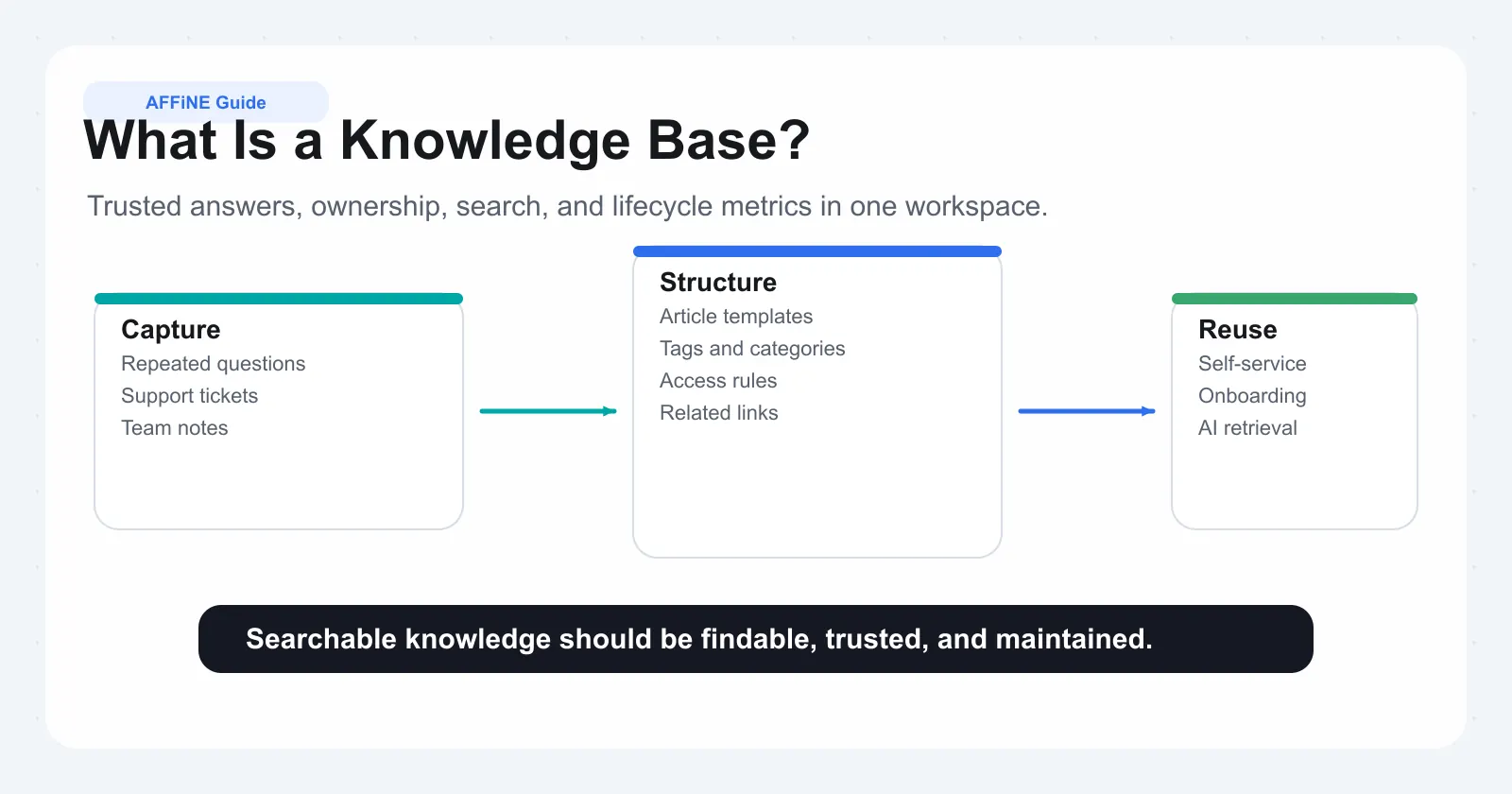
A customer knowledge base is a centralized, searchable repository of support content, including how-to articles, troubleshooting guides, policies, and reference documentation, designed to help customers and agents resolve issues independently without waiting for live assistance.
That definition matters because it draws a clear boundary. A knowledge base is not a folder of PDFs. It is not a wiki anyone can edit without oversight. It is a structured, curated information system where every article serves a specific purpose: getting someone from a question to an answer as fast as possible. According to Mojo Helpdesk, a well-structured starter library of just 15 to 25 articles can deflect 30 to 90 percent of repeat tickets. That kind of impact comes from intentional design, not from dumping documents into a shared drive.
What is service knowledge in practical terms? It is the accumulated understanding of how your product works, where customers get stuck, and what steps resolve their problems, captured in a format anyone can access on demand. A modern knowledge base treats this information as a living system that evolves alongside your product and customer needs rather than a static archive that decays the moment it is published.
External vs Internal Knowledge Bases
A customer knowledge base splits into two distinct forms, each serving a different audience with different expectations:
• External (customer-facing knowledge base): A public self-service portal where customers find setup guides, billing explanations, troubleshooting steps, and account management instructions. The writing assumes no internal context and prioritizes clarity over brevity.
• Internal (agent-facing): A private reference library containing escalation procedures, technical runbooks, internal policies, and resolution workflows. The writing assumes shared organizational context and prioritizes speed and precision.
You'll notice the audience changes everything. An internal article might say "Submit a JIRA ticket and tag the Ops lead before EOD," while the customer facing knowledge base version of the same topic would read "Contact our support team and we'll escalate your request within one business day." Both explain the same process, but the tone, detail level, and assumed context are completely different. Companies that blur this line risk exposing sensitive procedures to the public or confusing customers with internal jargon.
How It Differs from FAQs and Help Desks
People often use "FAQ page," "help desk," and "knowledge base" interchangeably, but they solve different problems at different scales:
| Element | What It Does | Limitation |
|---|---|---|
| FAQ page | Provides short, one-liner answers to common questions | Flat structure, no search depth, limited to surface-level topics |
| Help desk | Routes and manages support tickets between customers and agents | Reactive by nature; requires human involvement for every interaction |
| Knowledge base | Delivers searchable, step-by-step articles that resolve issues proactively | Requires ongoing maintenance and governance to stay accurate |
Think of it this way: FAQs and knowledge base content can coexist, but an FAQ sits on top of a knowledge base, not in place of it. The FAQ handles quick confirmations. The knowledge base handles the deeper "walk me through this" moments. And the help desk? It catches everything the knowledge base could not resolve on its own. When all three work together, customers get fast answers, agents handle fewer repetitive tickets, and your support operation scales without scaling headcount at the same rate.
The real distinction is proactive versus reactive. A help desk waits for problems to arrive. A knowledge base intercepts them before they become tickets. That shift from reactive to proactive is where the strategic value lives, and it depends entirely on how you build, structure, and maintain the content inside it.
Why a Knowledge Base Is Critical for Support Teams
That shift from reactive to proactive sounds compelling in theory. But what does it actually look like in daily support operations? The answer shows up in three places: how fast agents respond, how many tickets never reach them in the first place, and what happens when experienced team members walk out the door.
Reducing Response Time and Ticket Volume
When an agent receives a ticket, the clock starts. Every second spent hunting for the right answer across Slack threads, old emails, or a colleague's memory is a second the customer waits. A customer support knowledge base eliminates that search time by giving agents a single, verified source they can pull from instantly.
The numbers are hard to ignore. Research from USU shows that 40% of an agent's time is wasted searching for answers when knowledge is scattered or outdated. That is nearly half of every shift spent not helping customers but looking for the information needed to help them. A well-maintained knowledge base collapses that search time to seconds.
On the self-service side, the impact compounds. A self service knowledge base lets customers resolve issues without ever creating a ticket. Password resets, billing questions, feature walkthroughs, setup instructions: these are high-frequency, low-complexity issues that customers can handle themselves when the content exists and is easy to find. According to Supportbench, even intermediate knowledge base implementations integrated with AI achieve deflection rates of 30 to 50%, while mature setups push past 70%.
Here is how a knowledge base reduces customer support response time across both channels:
• For agents: Verified answers are one search away instead of buried in tribal knowledge, cutting average handle time and reducing escalations by up to 70%.
• For customers: Self-service articles intercept common questions before they become tickets, freeing agents to focus on complex issues that genuinely need human judgment.
• For the queue: Fewer repetitive tickets mean shorter wait times for customers with unique problems, improving satisfaction across the board.
The result is not just faster responses. It is a fundamentally different workload distribution where agents spend their expertise on problems worth solving rather than answering the same question for the fifteenth time that week.
Preserving Institutional Knowledge
Every support team has that one senior agent who knows exactly how to handle the obscure billing edge case, or the workaround for a legacy integration bug that never got documented. When that person takes a new job, goes on leave, or simply has a sick day, the team loses access to critical knowledge.
A contact center knowledge base solves this by converting individual expertise into shared, searchable documentation. The workaround that lived in one person's head becomes a published article anyone can reference. The escalation path that only the team lead remembered becomes a documented procedure new hires can follow on day one.
This matters especially for onboarding. USU reports that AI-enhanced knowledge management can accelerate onboarding by up to 80%, getting new agents productive in days rather than weeks. Even without AI, a structured internal knowledge base gives new team members a self-guided training resource instead of relying entirely on shadowing sessions and asking colleagues for help.
Think of it as organizational insurance. People leave. Roles change. Products evolve. But documented knowledge persists, and it compounds in value as the library grows.
The Hidden Cost of Operating Without One
The importance of a customer support knowledge base becomes clearest when you examine what happens without one. The costs are not dramatic or sudden. They accumulate quietly, ticket by ticket, until the support operation is drowning in inefficiency it cannot easily trace back to a single cause.
Here is what that slow erosion looks like in practice:
• Repeated answers across tickets: Without a central source, agents write the same explanation from scratch dozens of times. Each version is slightly different, and none of them are reusable.
• Inconsistent information: Customer A gets one answer from the morning shift. Customer B gets a contradicting answer from the evening shift. Both lose trust. USU's research confirms that 50% of customers churn after just one bad service experience.
• Longer onboarding: New agents have no reference material. They shadow senior staff, ask questions in Slack, and piece together tribal knowledge over weeks or months instead of days.
• Agent frustration and turnover: 69% of service employees report frustration from outdated or scattered knowledge, according to USU. That frustration drives attrition, which triggers more onboarding, which compounds the knowledge loss.
• Productivity drain: Teams lose up to 35% of their efficiency searching for or recreating content that should already exist in a shared system.
In a knowledge base call center environment, these costs multiply with scale. A five-person team might absorb the inefficiency through sheer effort. A fifty-person operation cannot. Every undocumented process becomes a bottleneck, every departed agent becomes a knowledge gap, and every inconsistent answer becomes a trust deficit with customers who expected better.
The compounding nature of these costs is what makes them dangerous. No single missed article causes a crisis. But six months of undocumented resolutions, unreviewed procedures, and scattered tribal knowledge creates a support operation that is slower, more expensive, and more fragile than it needs to be. The question is not whether your team can afford to build a knowledge base. It is whether you can afford the hidden tax of operating without one.
Of course, recognizing the need is only the first step. The real challenge is designing a structure that scales, one where content stays findable as the library grows from twenty articles to two thousand.
Designing Knowledge Base Architecture and Taxonomy
A knowledge base with fifty articles and no structure still feels manageable. You can scroll, scan, and find what you need. But at two hundred articles, that same flat list becomes a maze. At a thousand, it is unusable. The difference between a knowledge base that scales and one that collapses under its own weight comes down to one decision most teams skip: information architecture.
Your customer service knowledge base structure is not about folders. It is about findability. As MatrixFlows research across 500+ implementations shows, teams with taxonomy built for their actual audiences resolve questions 3x faster, reducing search time from 8 minutes to under 3 minutes per query. That gap is the difference between a knowledge base for customer service that works and one that gets bypassed.
Choosing a Taxonomy Approach
Two schools of thought exist for organizing knowledge base content, and picking the wrong one creates problems that compound over time.
Top-down taxonomy starts from your product structure. You map categories to features, modules, or service areas. This works well when your product has clear, distinct sections and customers think in terms of those sections. The risk? Your internal product architecture rarely matches how customers describe their problems.
Bottom-up taxonomy starts from actual support ticket data. You analyze what customers ask about, how they phrase it, and which topics cluster together. This approach reflects real user behavior but can feel chaotic without guardrails.
The most effective knowledge base customer service teams use a hybrid: start bottom-up by mining your top 20 support questions to discover natural groupings, then validate those groupings against your product structure to ensure nothing critical gets missed. This mirrors the card sorting technique that information architects use. Have 5 to 8 representative users group your topics into categories that make sense to them, then look for patterns in how they cluster content.
Here is a step-by-step process for designing your taxonomy from scratch:
-
Audit existing content across all systems: tickets, docs, wikis, Slack threads. Identify duplicates, gaps, and outdated material.
-
Analyze ticket categories to find the 20 most common topics by volume. These become your candidate top-level groupings.
-
Define 5 to 9 top-level categories using task-oriented language customers actually use, not internal jargon. "Troubleshooting Connections" beats "Network Module" every time.
-
Build subcategories by grouping related articles under each parent. Keep groupings between 5 and 15 articles per subcategory to avoid overwhelming users.
-
Assign tags for content that spans multiple categories. A billing article that also involves account setup gets tagged for both without duplicating the content.
-
Validate with real users by testing whether they can locate specific articles within three clicks. If they cannot, rename or restructure.
-
Document naming conventions and categorization rules so every future contributor places content consistently.
Category Depth and Navigation Design
Every additional hierarchy level reduces discoverability by roughly 50%. By the time someone navigates five levels deep, over 90% of users have abandoned the attempt. The rule is simple: limit your structure to three levels maximum. Category, subcategory, article. That is it.
When you feel the urge to add a fourth level, use faceted filtering instead. Rather than nesting "Products > Software > Enterprise Suite > Installation > Windows," flatten it to "Products > Enterprise Suite > Installation Guides" and let users filter by operating system and version. The result is the same content reached in three clicks plus a filter, instead of seven clicks down a tree where a wrong turn at any level means starting over.
Naming conventions matter just as much as depth. In a knowledge base contact center environment where agents handle dozens of queries per hour, category names need to pass the five-second test: can someone unfamiliar with your structure understand where to look within five seconds of seeing the options? If "Resources" or "Miscellaneous" appears anywhere in your taxonomy, that is a signal the structure needs rethinking. Use specific, predictable labels like "Account & Billing," "Getting Started," or "Troubleshooting" that tell users exactly what they will find inside.
For content that legitimately belongs in multiple places, tagging solves the problem without creating duplicates. A single article about resetting two-factor authentication might be relevant under both "Account Security" and "Login Issues." Tag it for both. Let it live in one canonical location with cross-references from the other. This keeps maintenance simple: one article to update, multiple paths to discover it.
Aligning Internal and External Structures
Teams that maintain separate taxonomies for their internal and external knowledge bases often end up with the same content documented twice, updated in one place, and stale in the other. The drift is predictable. A product change triggers an update to the customer-facing article, but the internal agent guide referencing the same process stays untouched. Two weeks later, an agent gives a customer outdated instructions because their reference material was never synced.
The fix is a shared foundational taxonomy with audience-specific layers on top. Both your internal and external systems use the same top-level categories and the same controlled vocabulary. The difference lives in what each audience sees within those categories. Customers see simplified troubleshooting steps. Agents see the same steps plus escalation paths, internal notes, and technical context. Same knowledge, two presentation layers, one maintenance burden.
Effective knowledge management in customer support depends on this alignment. When a knowledge base contact center team and the self-service portal share a common classification backbone, updating one article propagates accurate information to both audiences. You avoid the scenario where agents and customers receive conflicting answers simply because two parallel content libraries drifted apart over time.
This structural foundation determines everything that follows: what content you create first, how you govern it, and whether your knowledge base remains trustworthy as it grows. The architecture is invisible to end users when it works. They just find what they need. But getting there requires deliberate decisions about what goes where, and a taxonomy that reflects how people search rather than how your team happens to be organized.
Building Content from Support Interactions
A clean taxonomy gives you the skeleton. But skeletons do not deflect tickets. Content does. And the most common mistake teams make at this stage is deciding what to write based on what they know about the product rather than what customers actually struggle with. You end up with a beautifully organized library of articles nobody needs and glaring gaps where the real pain lives.
The best practices for building a knowledge base from support interactions start with a counterintuitive move: stop thinking like a product expert and start thinking like a frustrated customer at 11 PM.
Mining Support Tickets for Content Priorities
Your existing tickets are a goldmine of content priorities hiding in plain sight. Every resolved ticket represents a question your knowledge base could have answered proactively. The process for extracting those priorities is straightforward:
• Pull 90 days of ticket data. Export your last three months of support conversations. Strip out pure billing disputes, bug reports, and feature requests. What remains are the questions your content should address.
• Identify repeating patterns. Group tickets by topic, not by product area. You are looking for the same question asked in different words by different people. A SaaS company found that 60% of their ticket volume came from just 15 distinct problem patterns, even though their help center already had 200 articles.
• Mine chat logs and escalations. Tickets only tell part of the story. Check live chat transcripts for questions that got answered in real time but never documented. Review escalation patterns to find topics where frontline agents consistently need backup.
• Listen to the language customers use. Pay attention to how people phrase their problems. "Why isn't my thing working" and "Troubleshooting Service Connectivity Issues" describe the same problem, but only one matches how customers actually search. Capture these natural phrases for your article titles and metadata.
The importance of knowledge management in customer support becomes obvious during this exercise. You will likely discover that your team has answered the same question hundreds of times without ever turning that answer into a reusable article. Each repetition costs agent time, customer patience, and operational budget.
The Frequency-Complexity Matrix
Not every topic deserves the same treatment. A question asked fifty times a week that takes two sentences to answer is a different content challenge than a question asked fifty times a week that requires a fifteen-step walkthrough. The frequency-complexity matrix helps you decide what to write first and who it is for.
| Low Complexity (simple, short answers) | High Complexity (multi-step, contextual) | |
|---|---|---|
| High Frequency | Priority 1: Self-service articles. Password resets, billing FAQs, basic setup steps. These deflect the most tickets with the least writing effort. | Priority 2: Internal agent guides + simplified customer walkthroughs. SSO configuration, data migration, API integration. Write a detailed knowledge base for support agents first, then create a streamlined customer version. |
| Low Frequency | Priority 3: Quick-reference articles. Edge cases with simple fixes. Worth documenting but not urgent. | Priority 4: Internal runbooks only. Rare, complex scenarios that require agent judgment. Document for the team, not for self-service. |
This matrix prevents the common trap of writing articles in order of what is easiest to document. Priority 1 content, high-frequency and low-complexity, delivers the fastest deflection wins. One team saw a 40% drop in a single ticket category after rebuilding one authentication troubleshooting article with decision trees for each error code. That is the power of targeting the right topic with the right format.
Writing Guidelines for Knowledge Base Articles
Knowing what to write is half the battle. How you write it determines whether customers actually use it or bounce back to the contact form. Customer support knowledge base writing guidelines differ from traditional documentation because the reader is not learning. They are stuck. They want out.
Here are the principles that separate articles people read from articles people skip:
• Answer first, context second. Lead with the solution. If someone searches "how to reset my password," the first thing they should see is the reset steps, not three paragraphs explaining your security philosophy. Context can follow for those who want it.
• Task-oriented titles. Write titles as actions: "Reset your password," "Connect your Slack workspace," "Fix the 403 error on login." Avoid vague labels like "Account Settings" or "Connectivity." Specific, searchable titles match how people phrase their problems.
• Scannable formatting. Use numbered steps for procedures, bold text for action items, and screenshots for every non-obvious click. Users give you about eight seconds to prove the article addresses their specific problem. Walls of text fail that test.
• Consistent voice. Pick a tone and stick with it across every article. Second person ("you"), active voice, present tense. "Click Settings" beats "The user should navigate to their settings panel." Consistency builds trust because readers know what to expect.
• One article, one job. Resist the urge to combine related topics. An article about setting up email notifications should not also cover notification preferences, delivery schedules, and troubleshooting bounced emails. Split them. Link between them.
Converting tribal knowledge from experienced agents into documented procedures requires a specific approach. Schedule short recording sessions where senior agents walk through their resolution process for common issues. Do not ask them to write articles. Ask them to explain how they solve the problem as if training a new hire. Record it, transcribe it, then restructure the content into the format above. You capture the expertise without burdening agents with writing tasks they will never prioritize.
The content itself is only as valuable as the system governing it. Articles written today become outdated tomorrow if no one owns the responsibility of keeping them accurate, reviewed, and aligned with a product that never stops changing.
Content Governance and Lifecycle Management
Articles decay silently. A product update ships, a pricing tier changes, a workflow gets deprecated, and suddenly a dozen published articles are giving customers wrong instructions. Nobody notices until tickets spike or an agent sends a customer down a dead-end path. The problem is rarely a lack of content. It is a lack of ownership. As Mathew Patterson from Help Scout puts it: "If nobody has ownership of the knowledge base, it's easy for everyone to avoid action." A governance model fixes this by making accountability explicit and building maintenance into the rhythm of how your team already works.
Defining Content Roles and Ownership
Every article in your support knowledge base needs a name attached to it, not a team, not a department, a specific person who is accountable for its accuracy. Without that clarity, updates fall through the cracks because everyone assumes someone else will handle it.
The best practices for knowledge base setup in customer support involve four distinct roles, each with a clear responsibility boundary:
| Role | Responsibility | Review Trigger |
|---|---|---|
| Content Owner | Accountable for article accuracy. Ensures content reflects current product behavior and policy. Initiates updates when changes occur. | Product releases, policy changes, negative feedback signals |
| Subject Matter Expert (SME) | Provides technical input and validates procedural accuracy. Reviews content for correctness but does not own the publishing decision. | Escalation patterns, feature launches, technical architecture changes |
| Editor | Ensures consistency in voice, formatting, and readability. Enforces style guide standards across all articles. | New drafts, major rewrites, quarterly style audits |
| Approver | Signs off on publication. Confirms the article meets quality, compliance, and accuracy thresholds before it goes live. | All new publications, significant revisions, compliance-sensitive content |
Distribute ownership based on expertise. Product-related articles belong to the team closest to that feature. Policy content belongs to whoever manages that policy. COPC recommends embedding knowledge management ownership into performance reviews so it becomes part of the job rather than an afterthought people squeeze in between tickets.
One critical detail: the content owner is not always the original author. Authors create. Owners maintain. Conflating these roles is how articles get written once and never touched again. Assign ownership at publication, not at creation, and make it visible inside your knowledge base customer support tooling so anyone can see who to contact when something looks wrong.
Content Lifecycle Stages
A knowledge base for customer support is not a library where articles sit permanently on shelves. Every piece of content moves through a lifecycle, and each stage carries different rules about who can edit, who can see it, and what happens next.
Here are the five stages that keep content flowing without chaos:
-
Draft: The article is being written or substantially revised. Only the author and assigned editor can see it. It is not searchable by agents or customers.
-
Review: The draft is complete and awaiting SME validation and editorial review. Comments and change requests happen here. Version control tracks every edit so nothing gets lost.
-
Published: The article is live, searchable, and serving users. It has passed approval and meets all quality standards. A scheduled review date is automatically assigned at this point.
-
Scheduled Review: The article's review date has arrived or a trigger event (product change, negative feedback spike) has flagged it for reassessment. The content owner evaluates whether updates are needed.
-
Archived: The article is no longer relevant. It is removed from search results and public view but retained internally for historical reference and audit trails.
This lifecycle prevents the two most common failure modes: publishing content that was never properly reviewed, and leaving outdated articles live indefinitely because no mechanism exists to flag them for reassessment. Supportbench reports that poor self-service experiences from outdated content can increase ticket volume by 25 to 40%, turning your knowledge base from a deflection tool into a ticket generator.
Review Cadences and Staleness Prevention
Setting review dates is easy. Actually reviewing content on schedule is where most teams fail. The trick is tying review cadences to events your team already tracks rather than creating a separate calendar nobody checks.
Match review frequency to content volatility:
• Fast-changing content (feature workflows, pricing, integrations): Review monthly or immediately after any related product release.
• Moderately stable content (setup guides, account management): Review quarterly.
• Rarely changing content (company policies, legal terms): Review every six months or annually.
The most effective trigger is not a calendar date but a product event. When your engineering team ships a release, flag every article tagged to the affected feature area. This creates a direct link between product changes and content updates, eliminating the gap where customers encounter instructions that no longer match reality. Wayfair implemented version control tied to their knowledge management system for 11,000 employees and saw a 65% reduction in tech-related incidents, largely because content stayed synchronized with actual system behavior.
For version control when multiple contributors edit the same article, treat it like code. Use standardized naming conventions (DocumentName_Version_Date), require approval gates before changes go live, and maintain rollback capability so a bad edit can be reversed in seconds rather than hours. Drafts stay in "pending" status until a reviewer signs off, preventing half-finished updates from reaching customers.
Automated staleness signals add a safety net beneath the scheduled cadence. Flag articles that have not been viewed in six months for potential archiving. Surface articles with rising "thumbs down" ratings for immediate review. Track zero-result searches to identify topics where content either does not exist or is titled in ways customers cannot find. These signals catch decay between scheduled reviews, keeping your knowledge base trustworthy even when the calendar slips.
Governance without measurement is just bureaucracy. The real test of whether your lifecycle model works is not whether articles move through stages on schedule. It is whether customers find accurate answers and agents trust the content enough to use it. That trust shows up in specific, trackable metrics, ones that connect your knowledge base directly to support outcomes.
Measuring Knowledge Base Effectiveness
Trust is built on evidence, not assumptions. Your governance model keeps content flowing through the right stages, but how do you know the output actually works? Too many teams track page views, declare victory, and move on. Page views tell you people showed up. They say nothing about whether anyone left with an answer. The benefits of a customer knowledge base only materialize when you measure the right things and act on what the data reveals.
Core Knowledge Base KPIs
Why is a knowledge base important to leadership? Because it reduces cost and improves satisfaction. But proving that requires metrics tied directly to those outcomes, not vanity numbers. Here are the five KPIs that connect your content library to real operational results:
| KPI | Definition | Calculation | Target Benchmark |
|---|---|---|---|
| Ticket Deflection Rate | Percentage of issues resolved through self-service without agent contact | (Self-service sessions - sessions that ended in ticket creation) / Total self-service sessions x 100 | 30-50% for intermediate setups; 70%+ for mature implementations |
| Search Success Rate | Searches that lead to article clicks vs. dead ends or repeated queries | Searches resulting in article views / Total searches x 100 | 70-85% |
| Article Helpfulness Score | Reader satisfaction measured via thumbs up/down or star ratings on individual articles | Positive votes / Total votes x 100 | 75%+ positive across the library |
| Time-to-Resolution Impact | Difference in resolution time when agents use knowledge base articles vs. when they do not | Avg resolution time (without KB) - Avg resolution time (with KB) | 25-40% reduction in handle time |
| Content Coverage Ratio | Percentage of common support topics that have a corresponding published article | Topics with articles / Top 50 ticket categories x 100 | 80%+ coverage of high-frequency topics |
Each metric tells a different part of the story. Deflection rate shows whether customers can help themselves. Search success reveals whether they can find what they need. Helpfulness confirms whether the content actually solves the problem. Time-to-resolution proves the knowledge base advantages for agent efficiency. And coverage ratio exposes the gaps still generating unnecessary tickets.
A critical insight from HelpSite's research: high traffic combined with low deflection is a red flag, not a success signal. It means people are finding your articles but the content is not resolving their issue. Prioritize those articles for immediate rewriting.
Setting Baselines and Tracking Trends
Metrics without context are just numbers. A 40% deflection rate means nothing until you know where you started. Before optimizing anything, capture your current state across all five KPIs. Run the measurements over a 30-day window to smooth out daily fluctuations, then record those numbers as your baseline.
From there, track monthly trends rather than obsessing over daily swings. You are looking for directional movement:
• Deflection rate climbing? Your self-service content is working. Double down on the topics driving the improvement.
• Search success dropping? New product features or terminology changes may have created a gap between what customers search for and what your articles are titled.
• Helpfulness scores declining on specific articles? Those articles likely became outdated after a product change. Flag them for immediate review.
• Zero-result searches increasing? You have content gaps. Each zero-result query is a future ticket waiting to happen, as HelpSite notes, every gap is a ticket you have not prevented yet.
Build a simple monthly optimization loop: identify the five highest-impact articles based on traffic and low helpfulness scores, update them, then measure the change over the following 30 days. Research shows that just 4 to 7 well-optimized articles can reduce tickets by over 20%. You do not need a full content overhaul to see results. Start small, measure the impact, and expand from there.
This is also how a knowledge base reduces duplicate work over time. When you identify the same question generating tickets despite an existing article, the data tells you the article is failing, not that you need more agents. Fix the content once and you eliminate the repetition permanently.
Connecting KB Metrics to Support Outcomes
Knowledge base metrics in isolation impress no one. Leadership cares about support outcomes: customer satisfaction, first-contact resolution, and cost per ticket. Your job is to draw the line between your content performance and those business results.
The connections are direct. SQM Group's research shows that every 1% improvement in first-contact resolution produces a corresponding 1% improvement in CSAT. A knowledge base improves agent training in support by giving new hires immediate access to verified resolution paths, which directly lifts first-contact resolution because agents stop escalating questions they could answer themselves with the right reference material.
Here is how to frame the connection for stakeholders:
• Instead of: "Article views increased by 30% this quarter."
• Say: "We reduced ticket volume by 18% after optimizing 6 high-traffic articles, saving approximately 120 agent hours per month."
Tie deflection rate to cost savings by multiplying deflected tickets by your average cost per ticket. If you deflect 500 tickets monthly at $15 each, that is $7,500 in monthly savings directly attributable to your knowledge base. Pair that with CSAT improvements from faster self-service resolution and you have a business case that justifies continued investment in content quality.
Track tickets where agents link knowledge base articles in their responses versus tickets resolved without article references. Compare resolution times between the two groups. The difference quantifies exactly how much your content accelerates agent work, giving you hard evidence that the knowledge base is not just a customer-facing tool but an operational multiplier for your entire support team.
Strong metrics confirm what is working. But they also expose what is broken. When deflection stalls, search fails, or helpfulness scores crater, the numbers point to specific failure modes, each with its own root cause and fix.
Why Knowledge Bases Fail and How to Fix Them
Declining deflection rates, rising zero-result searches, helpfulness scores in freefall. These metrics do not just signal underperformance. They point to specific, diagnosable failure modes that quietly turn a self help knowledge base into a liability. The frustrating part? Most teams built the system with good intentions. They wrote articles, organized categories, and launched with optimism. Then six months later, agents bypass it, customers ignore it, and tickets keep climbing.
The root causes are predictable. Research from Artiquare confirms that the core problem is rarely access to knowledge. It is capturing and using it effectively. The real challenges are human, not technical. Understanding why adoption stalls, content decays, and discoverability breaks gives you a diagnostic framework to fix what is broken before it erodes customer trust entirely.
Why Adoption Stalls
You built it. Nobody came. Or worse, they came once, found outdated information, and never returned. Low adoption is the most common failure mode, and it almost always traces back to a trust deficit. Agents bypass the knowledge base because they have been burned before: they searched, found an article, followed the steps, and gave a customer wrong instructions because the content had not been updated in eight months.
The impact of an outdated knowledge base on support quality compounds quickly. One bad experience teaches an agent that their own memory or a quick Slack message to a colleague is more reliable than the published content. That behavior spreads across the team until the knowledge base becomes a ghost town that exists on paper but serves no one in practice.
Here are the common failure modes, their diagnostic signals, and corrective actions:
• Unreliable content drives agent bypass. Symptom: agents rarely link articles in ticket responses despite articles existing for those topics. Fix: audit the 20 most-avoided articles, update them with SME input, and publicly communicate the refresh to rebuild trust. Make accuracy visible by adding "Last verified" dates to every article.
• Content decay from absent review processes. Symptom: more than 40% of articles have not been updated in six months, and helpfulness scores trend downward. Fix: assign content owners, tie review triggers to product releases, and archive anything that no longer reflects current reality. According to KMWorld, organizations with established review cycles spend 40% less time handling information-related problems.
• Poor discoverability from bad search and unclear titles. Symptom: high zero-result search rates, users reformulating queries multiple times, or high bounce rates on landing pages. Fix: rename articles using customer language (pull phrasing from actual tickets), add synonym metadata, and ensure your search indexes article bodies, not just titles. Understanding how to search knowledge base in chat support tools starts with matching your vocabulary to the words customers actually type.
• Lack of ownership turns maintenance into nobody's job. Symptom: no single person can tell you who is responsible for a given article's accuracy. Fix: assign every article a named content owner, make ownership visible in the system, and include knowledge base maintenance in performance expectations. As Artiquare's research notes, when documentation is not rewarded or embedded in workflow, employees deprioritize it every time.
Diagnosing Content Decay
Content decay is not dramatic. It is gradual. A screenshot shows a button that no longer exists. A procedure references a setting that moved three menus ago. A pricing article still lists last year's tiers. Each outdated detail is small on its own, but collectively they teach customers that your self help knowledge base information cannot be trusted.
The diagnostic signals are measurable. Pull your article inventory and check these indicators:
• Age without review: Any article older than 90 days without a confirmed review is a decay candidate. Flag everything over six months as high-risk.
• Declining helpfulness scores: An article that scored 85% positive six months ago but now sits at 55% has likely fallen out of sync with reality.
• Rising ticket volume on covered topics: If tickets keep arriving for a topic that has a published article, the article is either unfindable or inaccurate. Both are decay symptoms.
• Broken links and outdated visuals: Screenshots showing old UI, links pointing to deprecated pages, or references to features that have been renamed or removed.
Nielsen Norman Group research shows that when users encounter missing or unclear information, they abandon self-service altogether and escalate to direct support. One outdated screenshot can undermine an entire article's credibility. The fix is not cosmetic. You need to beautify your knowledge base at the content level, not just the design level, ensuring every article reflects current product behavior before worrying about visual polish.
Running a Knowledge Base Health Audit
A health audit is not a one-time spring cleaning. It is a repeatable diagnostic process you run quarterly to catch problems before they reach customers. HelpDocs recommends structuring the audit around four dimensions: freshness, discoverability, coverage, and usage.
Here is the process:
-
Check article freshness. Export your full content inventory with last-updated dates. Sort by staleness. Any article untouched for more than six months gets flagged for review. Any article untouched for over a year gets evaluated for archiving. APQC research shows organizations maintaining current content inventories spend 25% less time on audits than those starting from scratch.
-
Identify orphaned content. Look for articles with zero views in the past 90 days. These are either irrelevant, unfindable, or both. Decide whether to improve their discoverability through better titles and tags, or archive them entirely.
-
Analyze zero-result searches. Pull your search analytics and identify every query that returned no results. Each one represents a customer who tried self-service, failed, and likely submitted a ticket. Group these queries by theme to identify your biggest content gaps.
-
Review usage analytics for underperformers. Find articles with high traffic but low helpfulness scores or high exit rates. These are the most damaging articles in your system because customers find them, read them, and leave unsatisfied. Prioritize these for immediate rewriting.
The audit output should be a prioritized action list, not a report that sits in a shared drive. Assign each finding to a content owner with a deadline. Track completion. Then run the audit again next quarter to measure improvement.
Zendesk research confirms that 67% of customers prefer self-service before contacting support, but only well-maintained, searchable knowledge bases deliver on that promise. A quarterly health audit is the mechanism that keeps your content trustworthy enough to earn that preference rather than squander it.
Diagnosing failure modes tells you what to fix. But fixing content inside a tool that fights you at every step, one that makes editing painful, search unreliable, or collaboration impossible, creates a different kind of bottleneck entirely. The platform itself becomes the constraint.
Choosing the Right Knowledge Base Software
When the platform fights your team, even the best content strategy stalls. Agents avoid contributing because the editor is clunky. Managers skip reviews because the workflow tools are nonexistent. Customers abandon search because results are irrelevant. Choosing the right customer support knowledge base software is not about picking the tool with the longest feature list. It is about finding the one your team will actually use consistently, one that removes friction from every stage of the content lifecycle you just designed.
Essential Capabilities to Evaluate
Every customer service knowledge base software option will claim to do everything. Cut through the noise by evaluating these six capability areas that directly determine whether your knowledge base thrives or collects dust:
• Structured document editing: Can writers format content cleanly without knowing HTML? Does the editor support templates, inline media, callout blocks, and reusable components? A rich editor lowers the barrier to contribution, which directly impacts how often content gets created and updated.
• Search quality: This is the single highest-impact capability. Helpjuice's buying guide recommends testing search with vague queries, misspellings, and synonyms during any trial. If the tool fails more than one or two of those tests, adoption will suffer regardless of how good your content is.
• Collaboration features: Real-time co-editing, inline comments, mentions, and version history. Multiple people will touch the same article over its lifetime. The tool needs to handle that without overwriting changes or creating confusion.
• Content workflow support: Draft, review, publish, and archive stages should be built into the platform, not managed through external spreadsheets. Publishing workflows that route articles through approval before they go live prevent half-finished updates from reaching customers.
• Integration with support tools: Understanding how to integrate knowledge base with CRM for support starts with checking native connections to your helpdesk, chat tools, and ticketing system. Agents should pull articles directly from tickets without switching tabs. Look for native integrations with Zendesk, Freshdesk, Salesforce, Slack, or whatever your team already uses.
• Scalability: The tool that works for 50 articles may buckle at 500. Check whether search performance degrades with volume, whether pricing jumps dramatically at the next tier, and whether multi-language support scales without manual overhead.
Budget matters too. Industry benchmarks show that basic tools in the $50 to $100 per month range offer limited search and analytics, while the $300 to $800 range unlocks AI-assisted search, robust analytics, and full branding control. Factor in setup time and ongoing maintenance cost, not just the subscription price. A cheaper tool that takes three times as long to manage may not actually save money.
Unified Workspaces vs Legacy Help-Center Builders
Legacy help-center builders treat the knowledge base as a standalone publishing tool. You write articles, organize them into categories, and publish them to a branded portal. That model works for simple setups, but it breaks down when support knowledge needs to connect with product documentation, internal runbooks, visual process maps, and cross-team collaboration.
Modern unified workspaces take a different approach. They combine documentation, databases, visual planning tools, and AI-assisted writing in a single environment. Instead of scattering knowledge across a help-center builder, a project management tool, a whiteboard app, and a shared drive, everything lives in one connected system.
AFFiNE is a strong example of this unified approach. As an open-source workspace, it combines structured docs, databases, and visual whiteboards with AI-assisted writing, making it practical for teams that need support knowledge to stay connected rather than fragmented across tickets, chats, and separate documentation tools. For teams building a knowledge base for call center operations or scaling from a small support team to a cross-functional system, this kind of consolidation prevents the content sprawl that makes governance impossible. Since customer knowledge bases often overlap with technical documentation systems, having both in one workspace eliminates the duplication that plagues teams maintaining parallel content libraries.
Here is how the main tool categories compare across the capabilities that matter most for the best knowledge base solutions for customer support:
| Tool Type | Editing & Docs | Search | Collaboration | Workflow & Governance | Integrations | Best For |
|---|---|---|---|---|---|---|
| Unified Workspace (e.g., AFFiNE) | Structured docs, databases, whiteboards, AI writing | Internal search across all content types | Real-time co-editing, visual planning | Flexible content organization with version tracking | Open-source, API-extensible | Teams consolidating scattered support knowledge into one connected system |
| Dedicated KB Platform (e.g., Helpjuice, Stonly) | Rich text editor with templates and media | AI-powered, typo-tolerant, analytics-rich | Multi-user editing, role-based access | Built-in publishing workflows, review cycles | Native helpdesk and CRM connectors | Teams needing a polished, customer-facing self-service portal |
| Support Suite Add-on (e.g., Zendesk Guide, Intercom Articles) | Basic article editor, limited formatting | Integrated with ticket and chat context | Agent-focused, limited external collaboration | Tied to ticketing workflow | Deep native integration with parent suite | Teams already invested in a specific support platform |
| General Wiki (e.g., Confluence, Notion) | Flexible block-based or page-based editing | Varies; often basic without add-ons | Strong internal collaboration | Requires manual setup or plugins | Broad marketplace integrations | Internal teams needing flexible documentation alongside project work |
No single category wins across every dimension. The right choice depends on where your team sits today and where it needs to go.
Matching Tool Choice to Team Maturity
Your knowledge management maturity level, as frameworks like TSIA's maturity model describe, should guide your tool selection. A startup with five support agents and no existing documentation has fundamentally different needs than a 200-person contact center with established governance processes.
Here is a practical matching framework:
• Early stage (no formal KB, ad hoc documentation): Start with a unified workspace or lightweight wiki. You need speed and flexibility more than advanced publishing workflows. Get content out of Slack threads and into a searchable system first. A tool like AFFiNE works well here because it lets you draft, organize, and visually map support knowledge without forcing a rigid structure before you know what structure you need.
• Growing stage (50-200 articles, dedicated support team): Move toward a dedicated knowledge base platform with built-in analytics, search optimization, and publishing workflows. You need to measure what is working and enforce quality standards. Knowledge base software call center teams rely on at this stage must handle volume without degrading search performance.
• Mature stage (500+ articles, cross-functional contributors, established governance): Evaluate enterprise-grade platforms with advanced AI search, multi-language support, and deep CRM integrations. At this scale, the tool must support the governance model you built, not work around it.
One mistake teams make repeatedly: choosing a tool based on where they want to be in two years rather than where they are today. A knowledge base for call center environments with 200 agents needs enterprise features. A ten-person startup buying that same tool will drown in configuration complexity before publishing a single article. Start with what matches your current maturity, and migrate when you outgrow it rather than paying for capabilities you cannot use yet.
The tool decision is not permanent. What matters more is getting content into a structured, searchable system quickly. And as your team grows, the real challenge shifts from choosing software to migrating existing knowledge out of scattered systems and scaling it across teams without losing context along the way.
Scaling and Evolving Your Knowledge Base Over Time
Picking the right tool solves the platform problem. But most teams are not starting from zero. They are starting from chaos: answers buried in Google Docs nobody can find, resolution steps scattered across Slack threads that disappear after 90 days, ticket macros that only two agents know exist, and Notion pages organized by whoever created them last. The real challenge is not building a knowledge base. It is consolidating the knowledge you already have into a system that actually works, then scaling it as your team and product grow.
This is where most knowledge base initiatives stall. Teams launch with fresh content, but the institutional knowledge trapped in legacy systems never makes it over. Six months later, agents still search Slack because "the good stuff" never got migrated. Creating a help desk knowledge base that truly deflects tickets requires pulling that scattered expertise into one structured, searchable home without losing the context that makes it valuable.
Migrating from Scattered Docs to Structured Knowledge
Migration sounds like a technical project. It is actually a curation project. The goal is not to move everything. It is to move the right things, in the right structure, while discarding what no longer serves anyone. Research from MatrixFlows shows that 40 to 60% content overlap typically exists across tools, with identical information recreated in different formats for different audiences. Migration is your opportunity to eliminate that duplication permanently.
Here is a phased roadmap for how to create a self service knowledge base from scattered documentation without losing institutional context:
-
Phase 1: Inventory and audit (Week 1-2). List every tool where support knowledge currently lives: Google Docs, Notion, Confluence, Slack saved messages, ticket macros, shared drives, even bookmarked emails. For each source, document what content types exist, who maintains them, and how frequently they are accessed. You will likely discover more overlap than expected. According to McKinsey, employees spend nearly 20% of their workweek searching for or gathering internal information. That lost time is the cost of fragmentation you are about to eliminate.
-
Phase 2: Prioritize by impact (Week 2-3). Do not migrate everything at once. Start with content that serves the highest ticket volume. Pull your top 20 ticket categories and identify which scattered documents address those topics. These become your first migration batch. Content that only one person accessed in the past six months can wait or be archived entirely.
-
Phase 3: Clean and restructure during transfer (Week 3-5). This is critical. Do not copy-paste old docs into a new system unchanged. Update outdated procedures, consolidate duplicates into single canonical articles, and rewrite content to match your knowledge base writing guidelines. MatrixFlows notes that most organizations discover 20 to 30% of existing content is outdated, duplicate, or irrelevant. Migration is the natural moment to clean house.
-
Phase 4: Validate links and relationships (Week 5-6). Scattered documentation often references other scattered documentation. A Google Doc links to a Notion page that links to a Confluence article. Map these relationships before migration so you can recreate them as internal cross-references in your new system. Broken links frustrate users and erode trust in the new platform immediately.
-
Phase 5: Train and transition (Week 6-8). Run the old and new systems in parallel for two weeks. Show agents where their familiar content now lives. Create comparison guides mapping old locations to new ones. Then sunset the legacy sources. If you leave old systems accessible indefinitely, agents will default to what they know and your migration delivers zero value.
The entire process typically takes 2 to 8 weeks depending on content volume. Simple migrations with 100 to 500 articles complete in 2 to 3 weeks when using platforms designed for consolidation. Complex multi-tool projects with thousands of documents require 6 to 8 weeks but deliver proportionally greater efficiency gains.
One practical consideration: choose a workspace that supports this consolidation natively. AFFiNE, for example, combines docs, databases, and whiteboards in one open-source platform, making it practical for growing startups and operations teams to pull scattered knowledge into a connected system rather than recreating the same fragmentation in a new tool. When your migration source includes visual process maps alongside written procedures, having both content types in one workspace prevents the split that caused the problem in the first place.
Scaling Across Teams and Use Cases
A knowledge base that starts with the support team rarely stays there. Product teams want to document feature decisions. Operations needs process runbooks. Sales wants competitive battle cards. The question is not whether other teams will need access. It is whether your architecture can absorb them without collapsing.
AllyMatter's research on scaling knowledge identifies three distinct growth stages, each requiring different structural decisions:
• Early stage (5-20 employees): Everyone contributes informally. Documentation is everyone's responsibility. The focus is capturing critical processes even if the system is basic. A flat structure with simple tagging works because the volume is manageable.
• Growth stage (20-100 employees): You need dedicated knowledge champions within each team, people who spend 10 to 20% of their time on documentation. Team-based permissions become necessary. The taxonomy needs formalization to prevent content sprawl.
• Scale-up stage (100-500+ employees): Specialized roles emerge: knowledge managers, content strategists, technical writers. Governance frameworks, quality standards, and scalable information architecture become non-negotiable. Without them, the system buckles under its own weight.
Scaling from a single-team knowledge base to a cross-functional system requires three structural shifts. First, move from department-based organization to topic-based organization. A global consulting firm that made this switch saw considerable reduction in information duplication and improved cross-functional collaboration scores. Second, implement graduated access controls: basic company information accessible to all, department-specific content visible within teams, sensitive information restricted to relevant roles. Third, assign clear ownership for each knowledge area with automatic review dates based on content type.
The self-service knowledge base you built for customers can share a foundational taxonomy with internal documentation. Product teams document features. Support translates those docs into customer-facing guides. Operations adds internal procedures. All three use the same category structure and controlled vocabulary, just with different visibility layers. This prevents the parallel content libraries that drift apart over time.
AFFiNE's AI-assisted writing helps teams maintain content quality as volume grows across these use cases. When you scale from 50 articles to 500, consistency becomes harder to enforce manually. AI writing assistance keeps tone, structure, and formatting aligned with your standards even as contributors multiply across departments.
How AI Is Changing Knowledge Base Operations
AI is not replacing knowledge base teams. It is eliminating the drudge work that prevents them from doing higher-value content strategy. The shift is happening across four operational areas that directly impact how teams create a self service knowledge base that stays current without constant manual effort.
Automated content suggestions. Modern platforms analyze resolved support tickets and automatically generate draft articles from successful resolutions. According to Pylon's research, AI-generated drafts reduce article creation time by 60 to 80%. The agent still reviews and approves, but the heavy lifting of extracting the problem, solution, and context from a conversation happens automatically. This is particularly valuable for best practices for creating knowledge base for AI chatbots, where content needs to be structured in ways that both humans and automated systems can parse effectively.
Semantic search. Traditional keyword search fails when customers describe problems in their own words rather than your product terminology. AI-powered semantic search understands intent, not just exact matches. A customer searching "can't get in" finds the article titled "Troubleshooting Login Errors" even though those words never appear in the query. Companies using AI-powered knowledge bases report a 35% reduction in support volume, largely because semantic search connects customers with answers they would have missed under keyword-only systems.
Content gap detection. AI monitors support conversations continuously and flags topics where no documentation exists. Instead of waiting for quarterly audits to discover gaps, the system surfaces them in real time. Every zero-result search, every ticket on an undocumented topic, every repeated question without a corresponding article gets flagged automatically. This transforms gap identification from a manual research project into a prioritized feed your content team acts on weekly.
Generative answer drafting. The newest capability: AI reads your existing knowledge base and generates contextual answers to customer questions in real time, citing the source articles. The customer gets an immediate response synthesized from multiple articles, and the system links to the full documentation for deeper reading. This does not replace articles. It layers an intelligent interface on top of them, making the same content accessible through both traditional browsing and conversational interaction.
The practical implication for teams building or scaling a knowledge base today: choose tools that support AI-assisted workflows natively rather than bolting them on later. Platforms with built-in AI writing assistance, automated content monitoring, and semantic search will compound their advantage over time as the models improve. Teams that wait to adopt these capabilities will find themselves maintaining content manually while competitors automate the repetitive work and redirect that effort toward strategic content improvements.
IBM estimates the half-life of professional skills is just five years, and even less for technical knowledge. Your knowledge base content decays at a similar rate. AI does not stop that decay, but it detects it faster, suggests fixes sooner, and reduces the manual effort required to keep your content trustworthy. The teams that combine strong governance with AI-assisted operations will be the ones whose knowledge bases still deflect tickets three years from now, not just three months after launch.
Frequently Asked Questions About Customer Knowledge Bases
1. What is a customer knowledge base and how does it differ from an FAQ page?
A customer knowledge base is a centralized, searchable repository of support content including how-to articles, troubleshooting guides, and reference documentation designed for independent issue resolution. Unlike an FAQ page that provides short one-liner answers in a flat structure, a knowledge base delivers in-depth, step-by-step articles organized through a navigable taxonomy with robust search functionality. FAQs handle quick confirmations while knowledge bases handle deeper walkthrough moments. The two can coexist, with FAQs sitting on top of a knowledge base as a surface layer for the most common questions.
2. How much can a knowledge base reduce support ticket volume?
Ticket deflection rates vary by implementation maturity. Intermediate knowledge base setups integrated with AI typically achieve 30 to 50 percent deflection, while mature implementations push past 70 percent. Even a starter library of 15 to 25 well-structured articles can deflect 30 to 90 percent of repeat tickets. The key factor is not article quantity but targeting high-frequency, low-complexity topics first, such as password resets, billing questions, and basic setup instructions, which customers can resolve independently when the content is accurate and findable.
3. What are the most important KPIs for measuring knowledge base effectiveness?
Five core KPIs provide a complete picture: ticket deflection rate measures issues resolved without agent contact, targeting 30-70 percent depending on maturity. Search success rate tracks whether searches lead to article views versus dead ends, targeting 70-85 percent. Article helpfulness score uses thumbs up/down ratings, targeting 75 percent positive. Time-to-resolution impact compares handle times with and without knowledge base usage, targeting 25-40 percent reduction. Content coverage ratio measures what percentage of common topics have corresponding articles, targeting 80 percent or higher for high-frequency issues.
4. How often should knowledge base articles be reviewed and updated?
Review frequency should match content volatility rather than following a single calendar schedule. Fast-changing content like feature workflows and pricing needs monthly review or immediate updates after product releases. Moderately stable content such as setup guides benefits from quarterly reviews. Rarely changing content like company policies can be reviewed every six months or annually. The most effective trigger is tying reviews to product release events rather than arbitrary dates, flagging every article tagged to affected feature areas whenever engineering ships an update.
5. What tools work best for building and managing a customer knowledge base?
The right tool depends on team maturity. Early-stage teams with no formal documentation benefit from unified workspaces like AFFiNE that combine docs, databases, and whiteboards for flexible knowledge organization without rigid structure. Growing teams with 50-200 articles need dedicated knowledge base platforms with built-in analytics, search optimization, and publishing workflows. Mature operations with 500-plus articles require enterprise platforms with AI search, multi-language support, and deep CRM integrations. The critical capabilities to evaluate are search quality, structured editing, collaboration features, content workflow support, integrations with existing support tools, and scalability. Our knowledge base software buyer guide walks through how to test each of these capabilities before you commit.