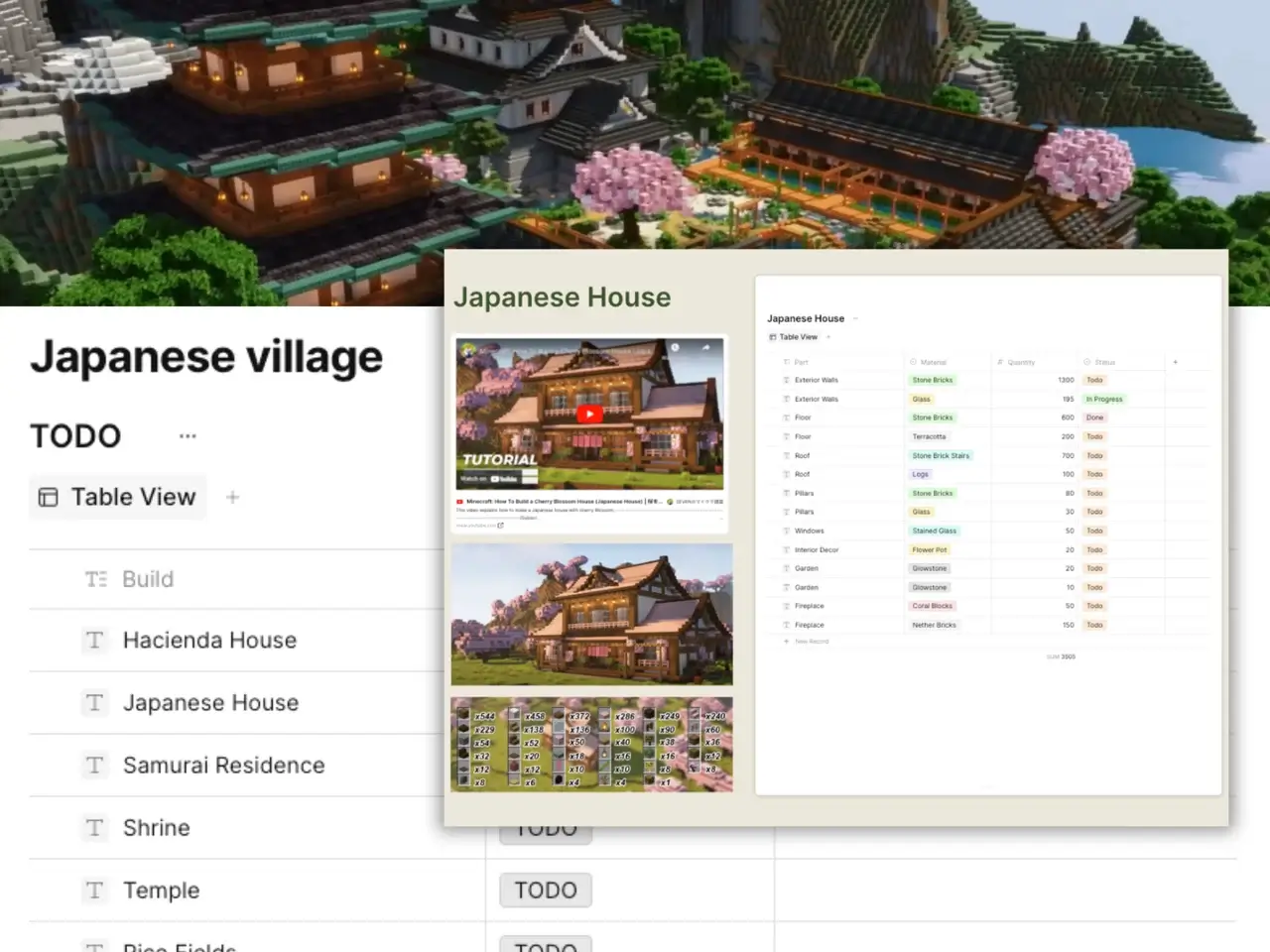
Minecraft Building Planner
Plan Minecraft builds without losing track. Free planner for materials, timelines, and step-by-step phases for farms, castles, or megabuilds.
Last updated June 2026 · Free template for Minecraft Java 1.21+ and Bedrock 1.21+ · Tested on castles, farms, megabuilds, and redstone contraptions.
A Minecraft Building Planner is a structured digital workspace for organizing every step of a Minecraft build before placing the first block — from material counts and coordinates to phase-by-phase construction timelines. The AFFiNE template combines a database, a Kanban board, and a whiteboard so you can plan castles, farms, villages, megabuilds, or redstone projects without losing track of resources, dimensions, or progress.
Most Minecraft planners are static PDFs or Google Sheets that go stale the moment you start mining. This template is a live, editable, multi-view workspace built in AFFiNE.
The template includes pre-structured pages for the four most common Minecraft build categories. Each one names the typical material profile, recommended dimensions, and the build-phase order that experienced players use.
Castles are the most resource-heavy and most-searched Minecraft project type. Plan in this order: foundation footprint → outer walls → towers → roof line → interior rooms → decoration. Typical stone-castle material count for a 30×30 block castle: ~6,500 cobblestone, ~1,800 stone bricks, ~400 dark oak planks for trim, ~200 torches. The template's material database auto-tallies as you add rooms.
For inspiration on castle styles before you plan, read our breakdown of Minecraft castle ideas — covers medieval, Japanese, Nordic, and floating castle archetypes with material implications.
Farms split into two engineering paths: passive crop farms (wheat, carrot, sugarcane, melon) and mob/redstone auto-farms (iron golem, gunpowder, slime, raid farm). Plan crop farms in 9×9 plots around a water source; plan auto-farms around afk spawn radii (24-block minimum, 128-block despawn). The template includes a redstone-component checklist for each farm archetype.
Village planning is about NPC pathfinding and bed-to-workstation ratios, not just aesthetics. Maintain at least 1 bed per villager, place workstations within 48 blocks of the bed, and keep iron golem spawn areas at least 16×16. The template's coordinate tracker prevents the most common village-planning failure: villagers losing their workstation link when you add new buildings.
Megabuilds (custom landscapes, cities, themed servers) need real project management, not just material lists. Use the Kanban view to move build phases through Planned → Mining → Building → Decorating → Done columns. Link sub-builds (each tower, each district, each redstone module) as nested pages so your top-level plan stays scannable.
The single biggest reason Minecraft builds stall is running out of a specific block 80% through construction. The template's material section forces you to commit to a block list before you start, then tracks gathered vs. needed counts in real time.
How to use it:
wall blocks = perimeter × height for boxes, floor blocks = length × width for floors.Coordinates work identically in Java and Bedrock — (X, Y, Z) where Y is vertical. But there are two practical differences the template handles:
/gamerule showcoordinates true or the Show Coordinates toggle in Game Settings.The template's coordinate tracker stores anchor points (build origin, corners, interior landmarks) as a small spreadsheet linked to your blueprint sketch on the whiteboard. Tap any coordinate row to see it highlighted on the canvas.
This is the workflow tested across all four build categories. It works for both single-player survival and multiplayer creative servers.
For a deeper dive on technique and survival-mode constraints, see our Minecraft Building Planner blog guide and the related Mastering Minecraft Build Planners tutorial.
Estimate by shape: for a rectangular wall, wall blocks = perimeter × height. For a floor or ceiling, blocks = length × width. Add a 15-20% buffer for mistakes, replacements, and decoration. The AFFiNE Minecraft Building Planner template includes a material database that tallies needed-vs-gathered counts automatically, so you only need to estimate once.
Survival-mode planning needs three things a creative planner can skip: a material gathering checklist (because you can't /give yourself blocks), a scarcity-block flag for quartz, prismarine, ancient debris, and trader-only items, and a safe build-area lighting checklist. The AFFiNE template has all three pre-built into the database view.
Yes. The template is game-version agnostic. Coordinate notation (X, Y, Z), block names, and material lists are identical across editions. The only practical difference is how you view coordinates in-game (Java uses F3, Bedrock uses the Show Coordinates setting), and the template includes notes for both.
Yes. Redstone projects fit best in the megabuild category. Plan each redstone module as a sub-page linked from your main blueprint, list components separately from building blocks (repeaters, comparators, observers, droppers), and use the coordinate tracker to mark signal-source and output anchors.
Click Share in AFFiNE and choose either a read-only link (for showing off) or a collaborative edit link (for co-building). Friends don't need an AFFiNE account to view the plan, but they need one to edit. The plan syncs in real-time across all collaborators.
Treat it as a multi-month project, not a single session. Break it into 5-10 sub-builds (a city becomes districts; a castle complex becomes individual buildings). Use Kanban-style phases (Planned → Mining → Building → Decorating → Done) per sub-build. Set realistic milestones — most megabuilds take 40-100 hours of in-game time. The AFFiNE template's nested-page structure was designed exactly for this scale.
Yes, completely free. Click "Use Template" to copy it to your AFFiNE workspace. No credit card, no signup pressure, no paywall on the template itself. AFFiNE the app has a generous free tier; the template works at zero cost and zero subscription forever.